

Home / translationCore Desktop
An end-to-end workspace for Bible translation
Draft, check, align, and share a translation in one app. Works offline.
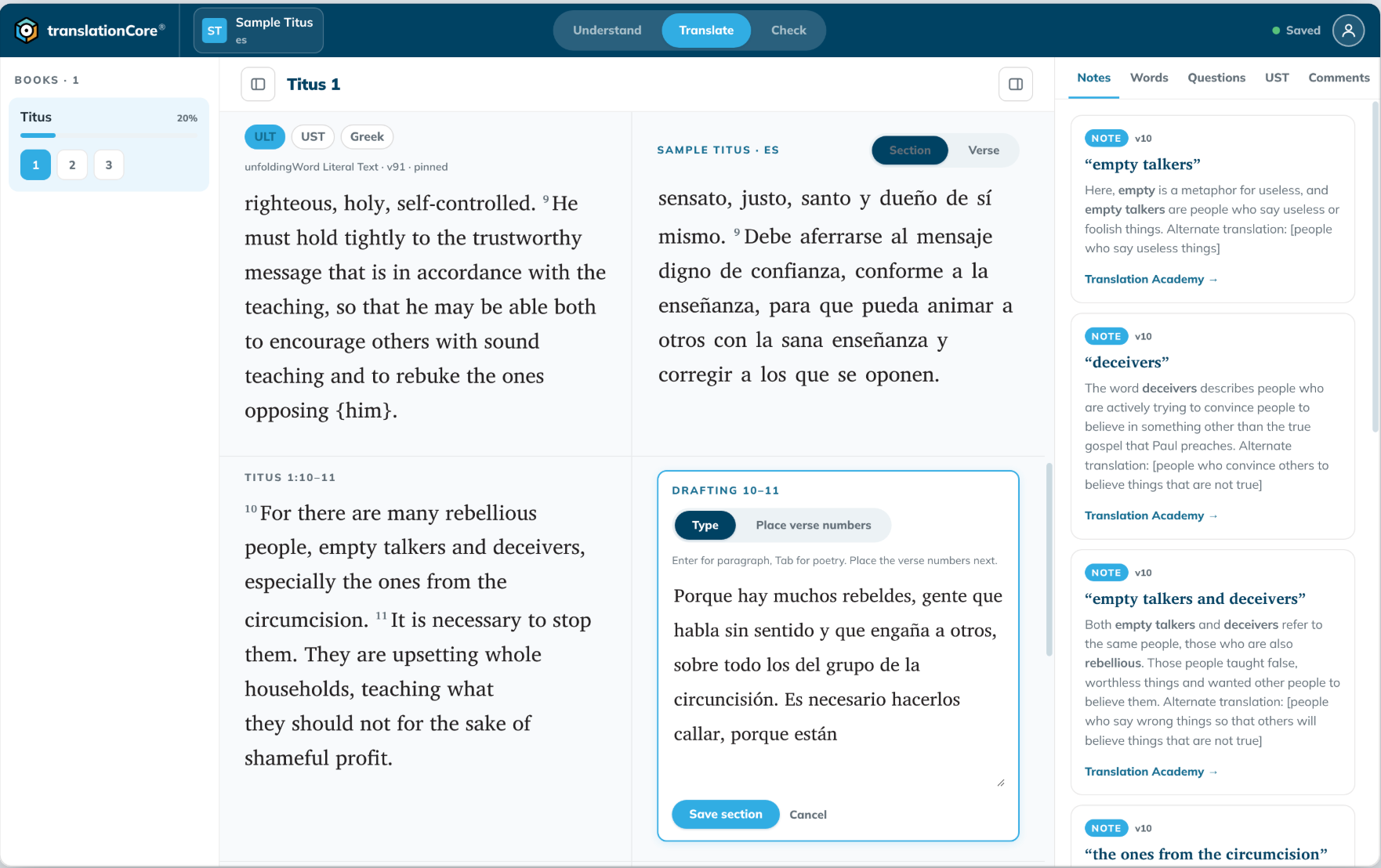
Translate mode, with notes and source text beside you.
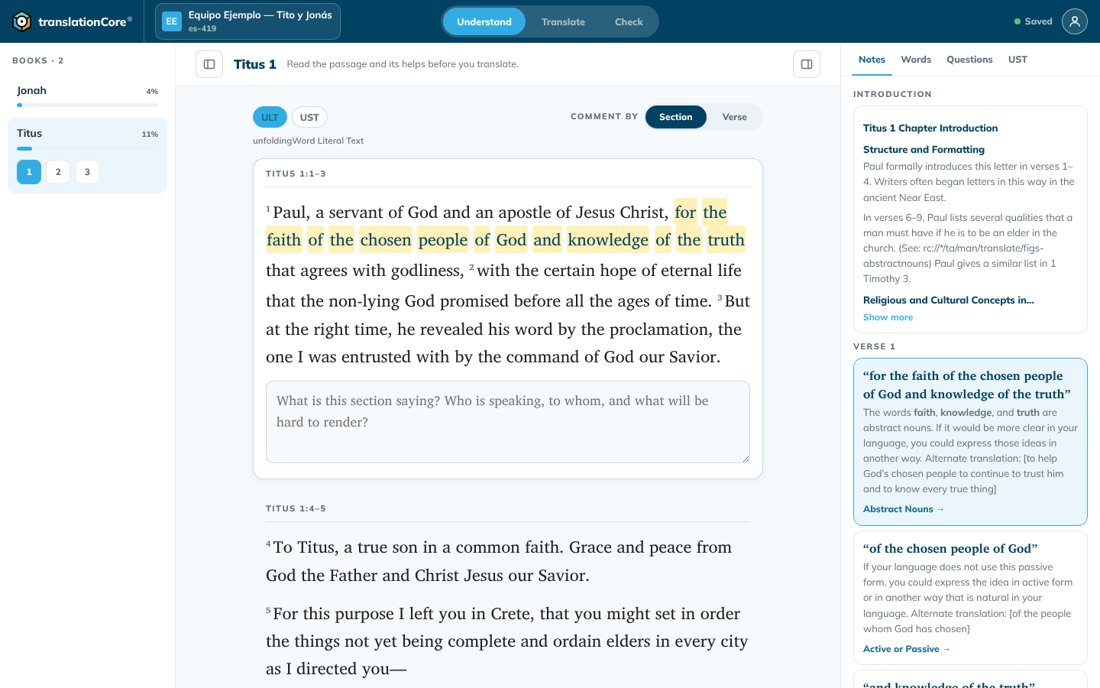
Understand. Translate. Check.
translationNotes, translationWords, translationQuestions, translationAcademy, ULT, and UST work together in one workspace, so you can understand Scripture and translate it accurately and clearly.
Everything your team needs, in one place
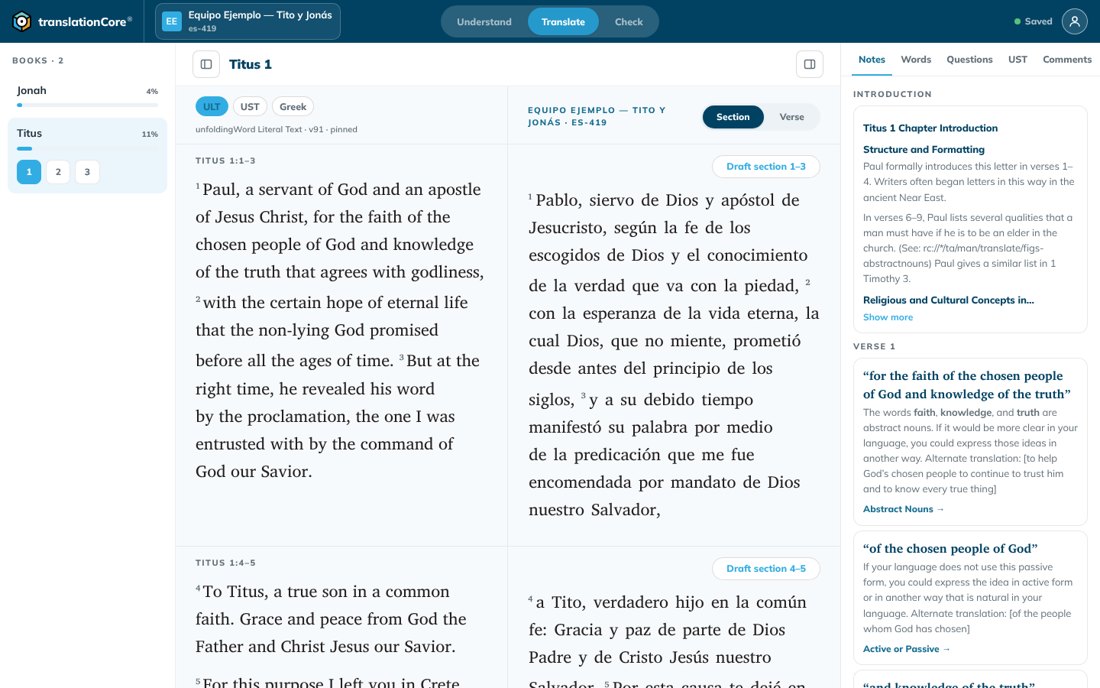
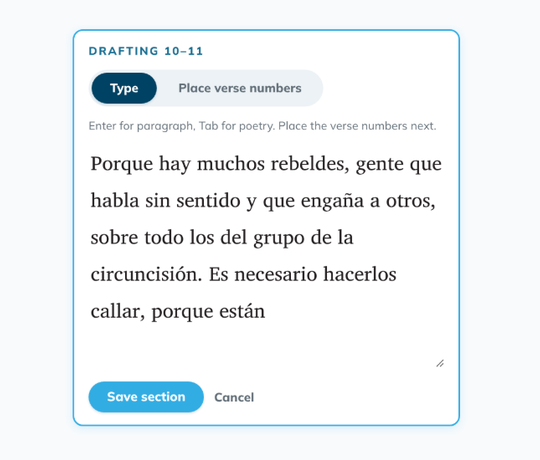
Draft a section
Write a section, then place verse numbers.
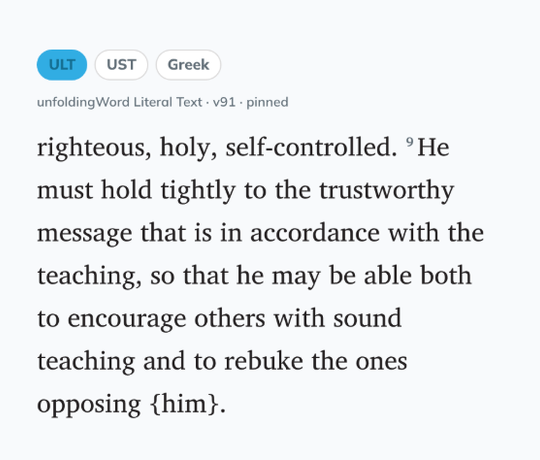
Original language beside you
See Greek or Hebrew next to the ULT and UST.
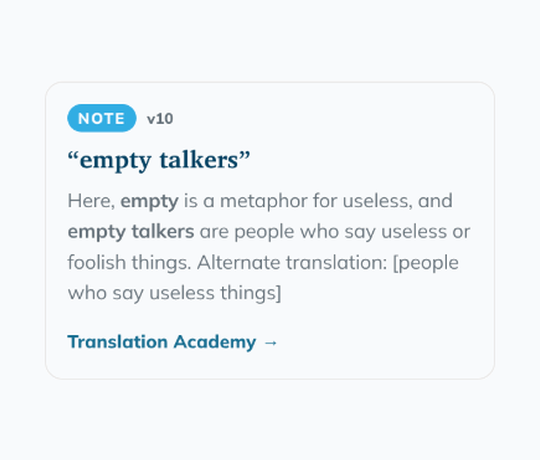
Helps and suggestions
Notes, words, comments, and alignment suggestions.
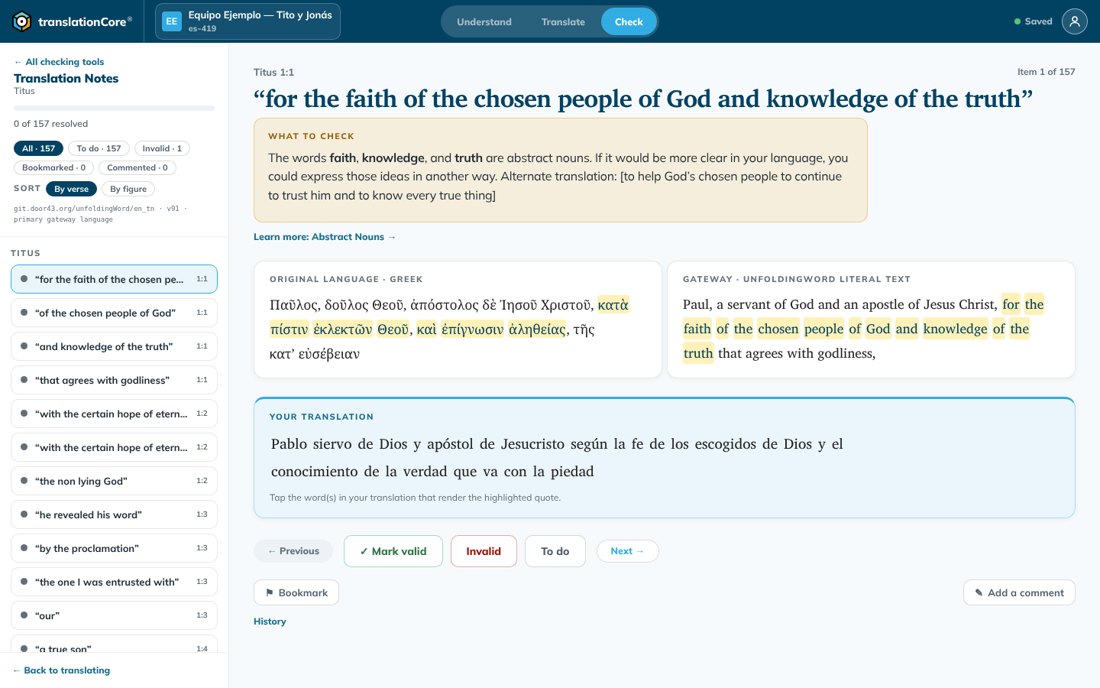
Check and align
Check key terms, then align to the original.
Open Bible Stories
Translate and check stories. Export Markdown or PDF.
Export and share
Export aligned USFM, a Scripture Burrito, or PDF, or share to Door43.
How it works
- 1Start a project, or import one.
- 2Draft a section at a time.
- 3Check with helps beside you.
- 4Align to the original language.
- 5Export or share to Door43.

Have a translation question? Ask BT Servant.
Get guidance grounded in trusted resources, in your language.
Download translationCore v4 Beta
Choose your computer.
Windows
Installer (.exe), 64-bit
Signed by unfoldingWord. If Windows shows “Windows protected your PC”, choose More info, check that the publisher is unfoldingWord, then choose Run anyway.
Mac
Installer (.pkg), Apple silicon
Intel Macs are not supported yet. This build is not signed yet, so macOS may block it. Open System Settings > Privacy & Security and choose Open Anyway, or Control-click the installer and choose Open. It asks for an administrator password.
New: translationCore v4 Beta. Test with copies of your projects and keep backups.
Need help? See the help site or the release notes.
Need the earlier translationCore?
The previous version stays available until v4 Beta is stable.
Open source. Free to use.
Licensed CC BY-SA 4.0.