
Open a book and move between chapters
Click a book tile on Home to open it. Inside the project, the book list on the left moves you between books and chapters.
Each book remembers where you were, so a tile takes you back to the same place.
Steps
- On Home, click a book tile, for example Titus. A book you haven't opened before starts in Understand.
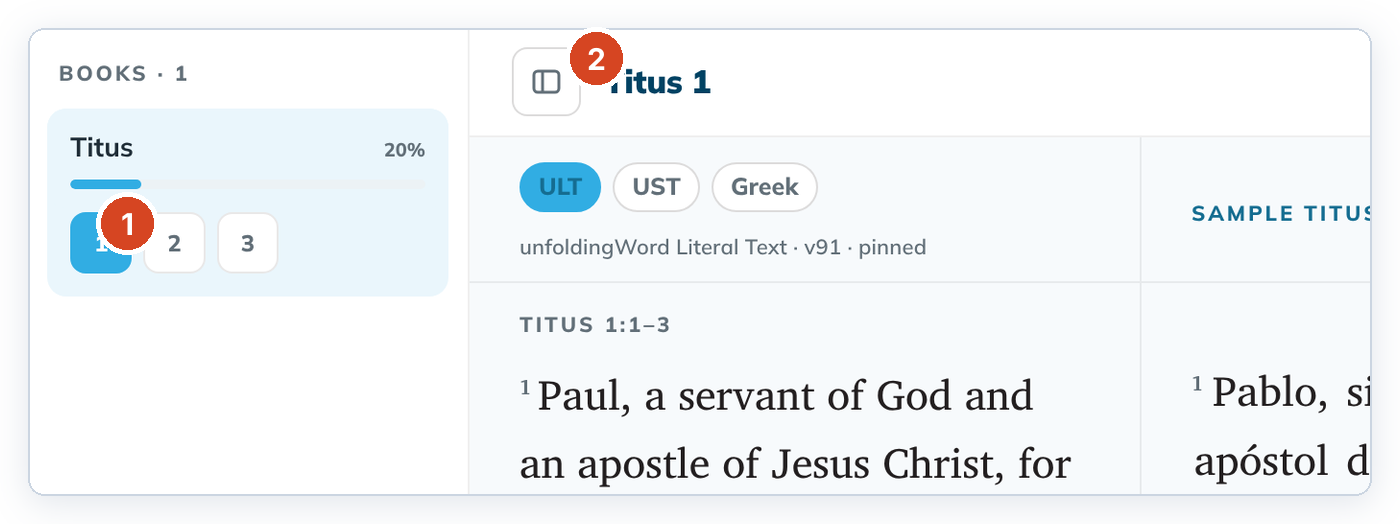
- In the list on the left, click a chapter number (1).
- To open another book of the project, click its name in the list.
If the list is hidden, click the Toggle book list button (2) next to the chapter heading.
Good to know
- The heading above the text (for example "Titus 1") tells you where you are.
- The percentage under each book shows how much of it is drafted.
- A large project can show Opening the project… for a moment while tC4 reads its saved work.