
Project settings
Change a project’s text direction, script font or checking language, or manage its source texts.
Steps
- On Home, click Settings on the project card.
- Change what you need:
- Text direction: Left to right or Right to left.
- Checking language (1). See Change the checking language.
- Manage source texts → (2). See Download source texts.
- Script font (3): the font your translation is shown in.
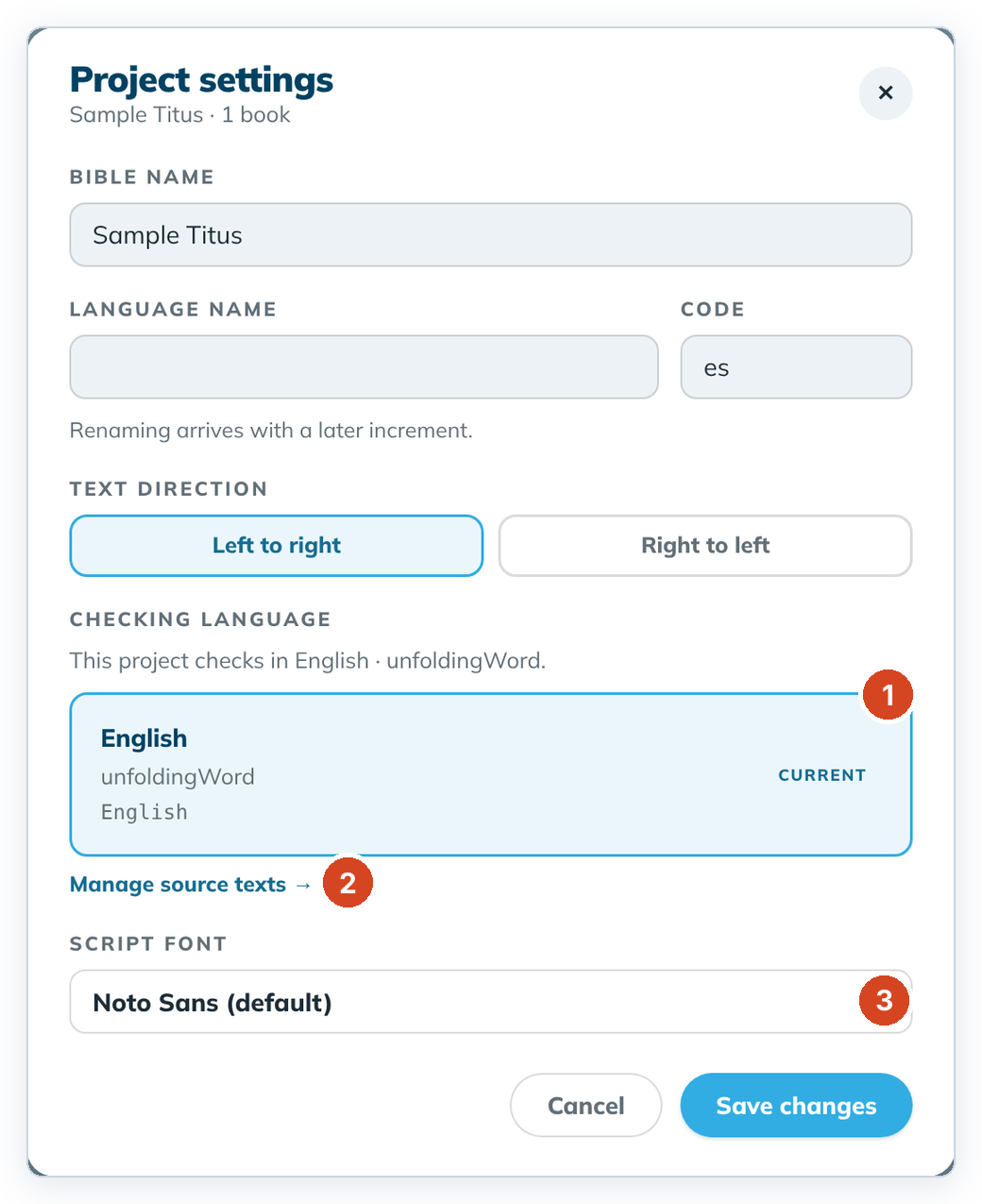
- Click Save changes.
To cancel, click Cancel or the ✕, or press Esc. Nothing is saved.
Good to know
- The settings are only on the Home card, not in the top bar. To get back to Home, click the project name at the top left.
- The fonts are Noto Sans (default), Charis SIL, Scheherazade New (Arabic script), Awami Nastaliq (Nastaliq) and Padauk (Myanmar). Pick the one that shows your letters correctly.
- The name and language can't be changed yet: "Renaming arrives with a later increment."