
Choose a checking tool
Check lists the checking tools for the open book and how far you have got in each one.
Each checking tool takes you through the whole book once, one item at a time. translationCore remembers your place in each tool.
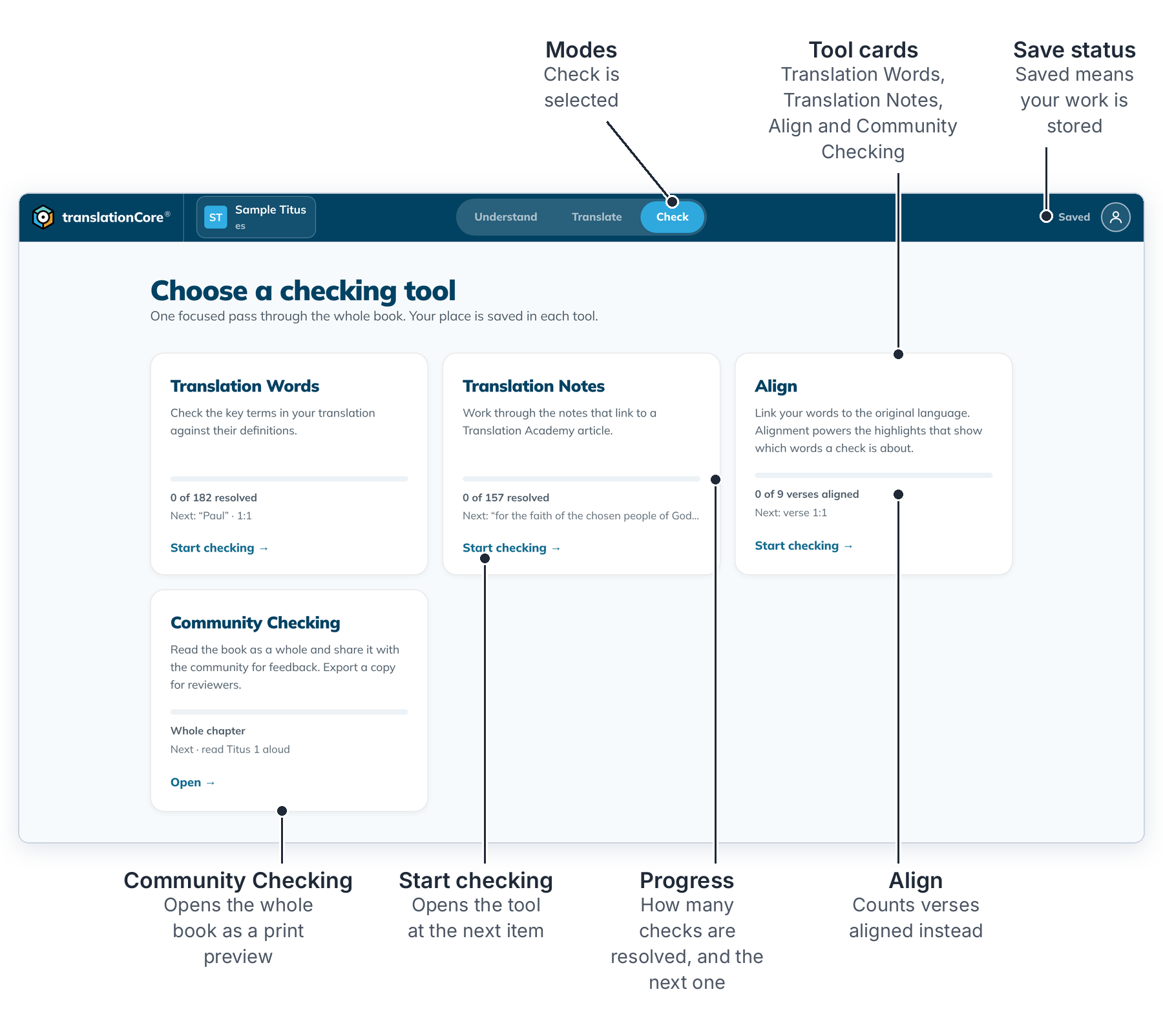
Open a tool
- Open a book, then click Check at the top.
- Look at the cards. Each one shows how many items are resolved and which one is next.
- Click Start checking → on the card you want, or Continue → if you have started. On Community Checking the link is Open →.
- To come back to this list, click ← All checking tools at the top left of the tool.
The next time you click Check, translationCore opens the checking tool you used last.
The tools
- Translation Words: key terms, one at a time.
- Translation Notes: the places a translation note points to.
- Align: link your words to the original language. This card counts drafted verses, so a book with nothing drafted says No items in this book yet.
- Community Checking: read the whole book as a printed page and export it for reviewers.
- A story project has no Align card.
If a card says Needs downloading or Unavailable offline, click Fix this…. See Fix a missing resource. The other tools still work while you fix it.
Note: Only drafted verses can be checked. Draft first, then come back.