
Help › Troubleshooting and known limits
If the app closed unexpectedly or the window went blank
If tC4 closed unexpectedly or the window went blank, it recovers your projects. Window › Reload brings it back without quitting.
tC4 records each step that changes a project. If it stops in the middle of one, it finishes or cleans up at the next start, so no broken project is left.
If the window goes blank or stops responding
- Open the Window menu and click Reload, or press Ctrl+R.
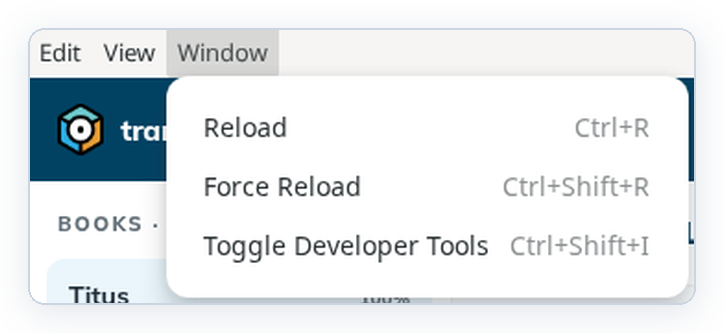
- tC4 comes back on Home. Open your project again.
If you see "This screen could not be shown.", click Back to Home, then open the project again.
If tC4 closed
- Start tC4 again.
- Check that your projects are on Home.
- If an import was interrupted, import the file again.
Good to know
- Reload takes you to Home. Your projects are still there.
- Toggle Developer Tools is for developers. You don't need it.