
Filter and sort check items
Narrow the list to what still needs work, and change the order of items.
The list on the left of a checking tool has filters and a sort switch at the top.
Steps
- Open a checking tool.
- Click a filter. Each one shows how many items it has.
- Next to Sort, click one of the two orders.
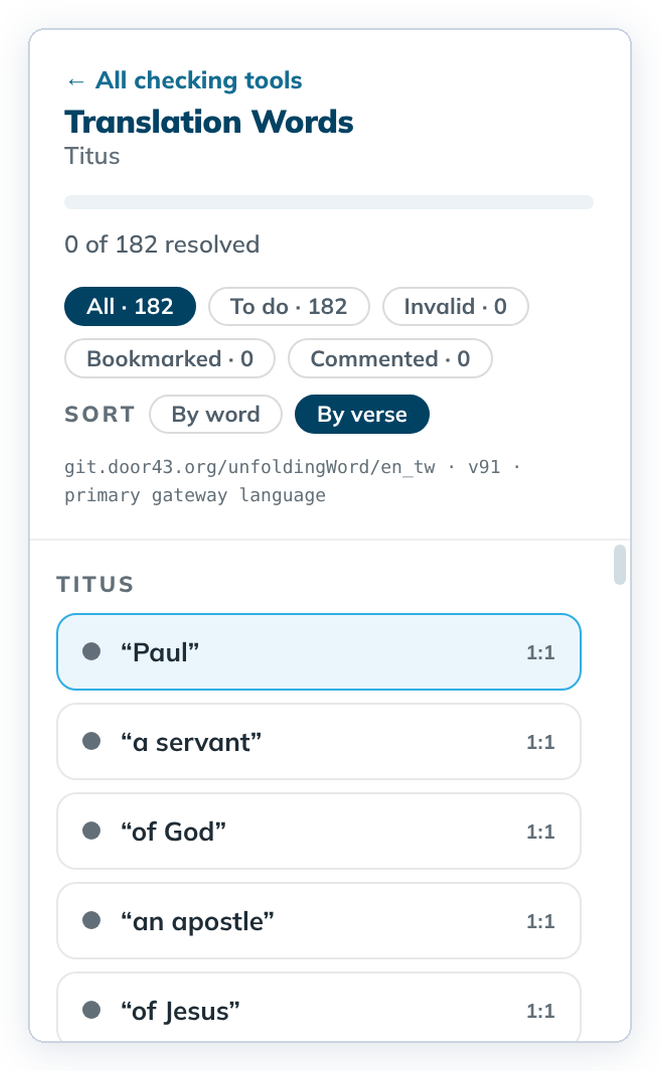
- Click an item to open it.
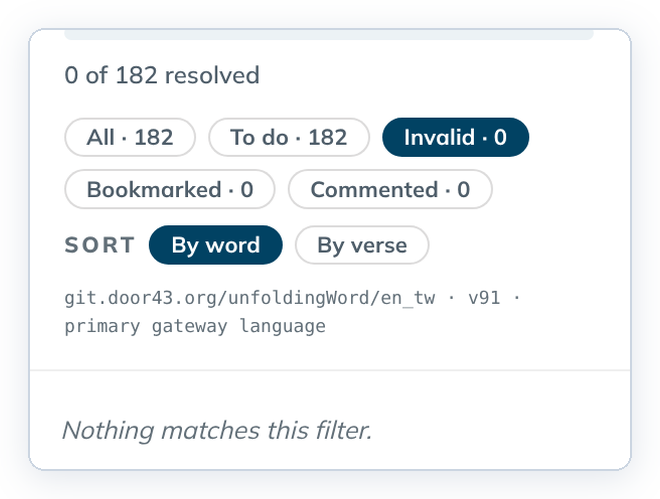
When nothing matches, the list says "Nothing matches this filter." The item you had open stays on the right.
Filters
| Filter | Shows |
|---|---|
| All | every item |
| To do | items not decided yet |
| Invalid | items marked invalid |
| Bookmarked | items with a bookmark |
| Commented | items with a comment |
Sort orders
- Translation Words: By word or By verse. In stories: By word or By frame.
- Translation Notes: By verse or By category. In stories: By frame or By category.
Finish a pass with To do, then fix problems with Invalid.