
Help › Troubleshooting and known limits
Share to Door43
Put a project on Door43 so others can read it. You sign in once and review where it goes before anything is uploaded.
Sharing sends the project to Door43. Later shares upload your changes again. Bible and Open Bible Stories projects share the same way.
Steps
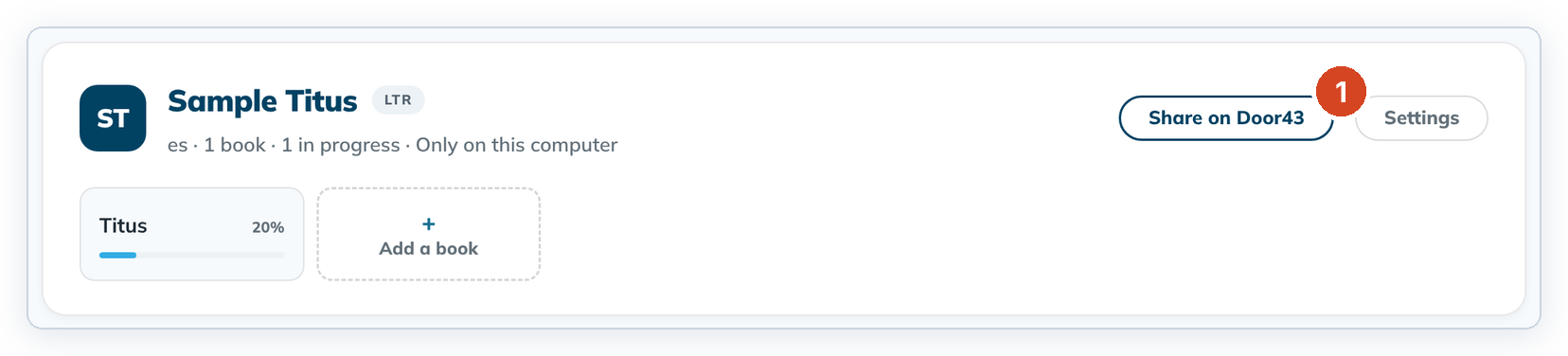
- On Home, click Share on Door43 on the project card (1).
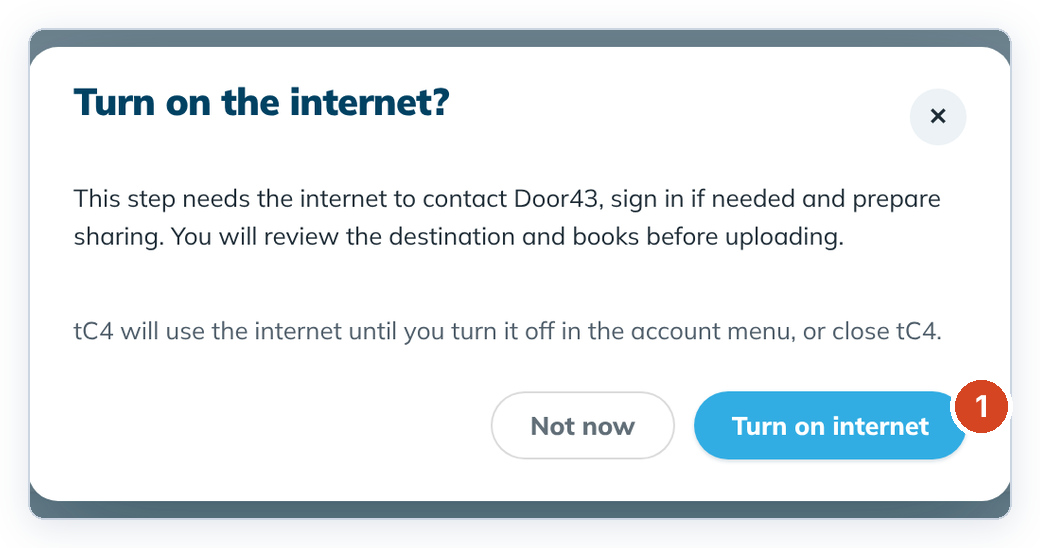
- tC4 asks "Turn on the internet?". Click Turn on internet (1).
- If you aren't signed in, sign in with your Door43 username or email and password.
- Choose your account or an organization, review the books, and upload.
To cancel, click Not now or the ✕. Nothing is sent.
Good to know
- You can also sign in from the round account button at the top right › Sign in to Door43. Tick Stay signed in on this computer if you don't want to sign in every time.
- Each change you share is signed with this computer's account name, which Door43 shows as the author.
- Sharing only sends. Bringing a project back from Door43 and team sync aren't built yet. See Working as a team on several computers.