
Start an Open Bible Stories project
Create a project for translating all fifty Open Bible Stories into your language.
Open Bible Stories are 50 short Bible stories, each told in numbered frames with a picture. English stories and helps come with the app.
Steps
- On Home, click + Add a project, then New Open Bible Stories.
- Type a Project name, the Language name and its Code.
- Choose the Text direction. Leave Checking language on English.
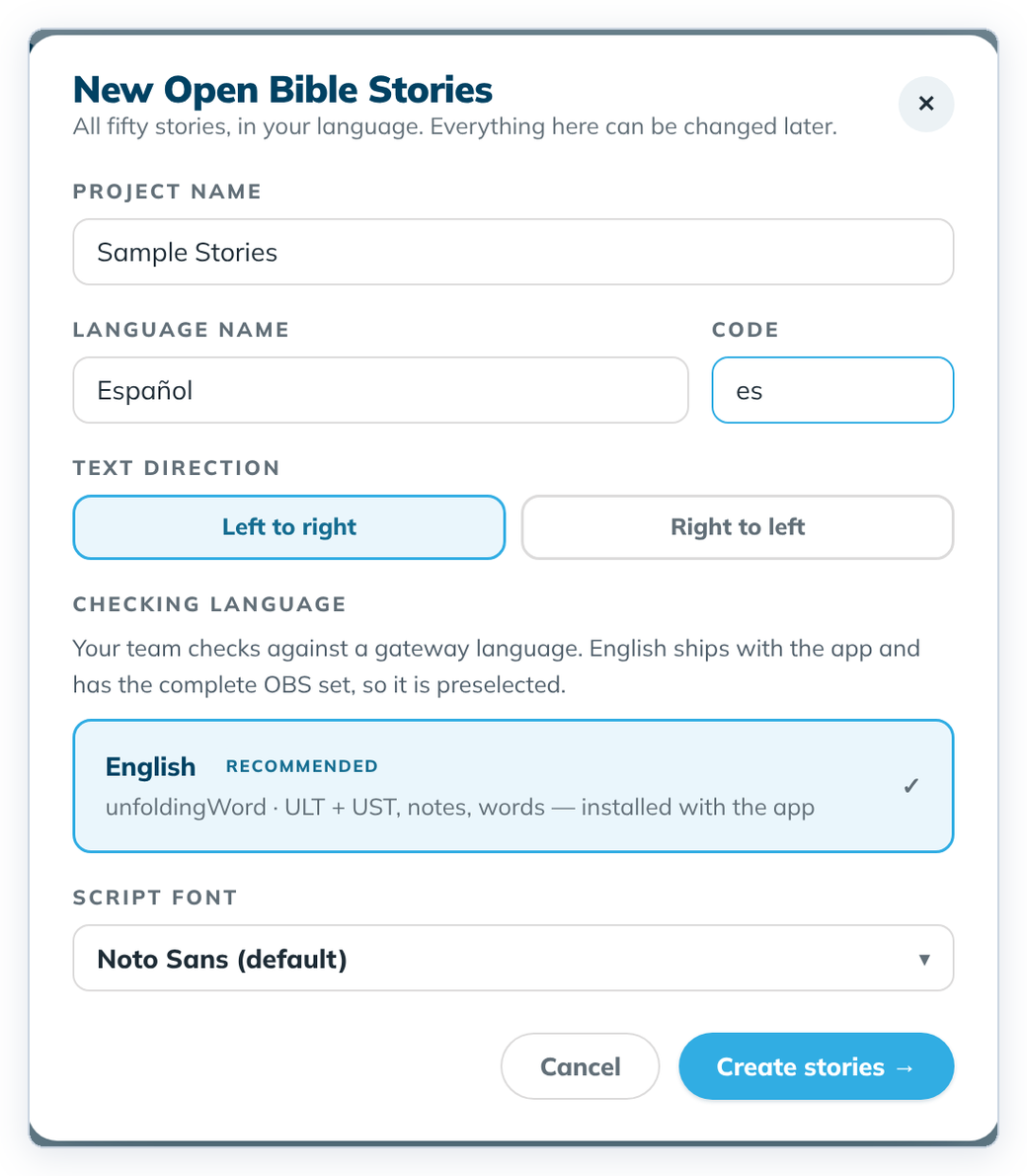
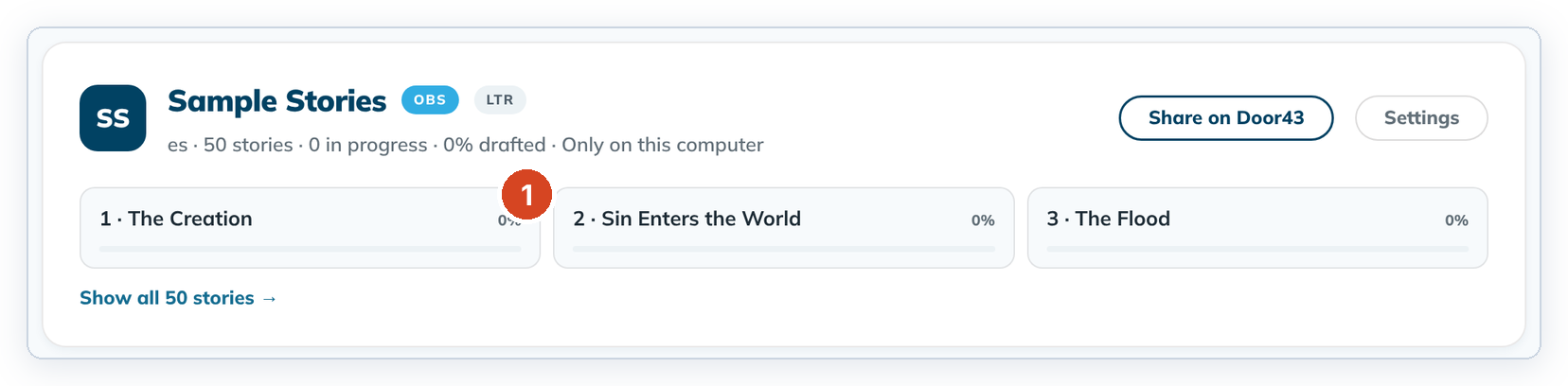
- Click Create stories →. The new card appears on Home.
- Click a story tile (1) to open it. A new story opens in Understand.
To cancel, click Cancel or the ✕. Nothing is saved.
Good to know
- Wait a moment after clicking into a field before you type, then check what you typed. The first letters can be lost.
- You can change text direction, font and checking language later in Project settings. The name and language can't be changed yet.