
Getting started
Install tC4, find your way around Home, and learn the three modes.
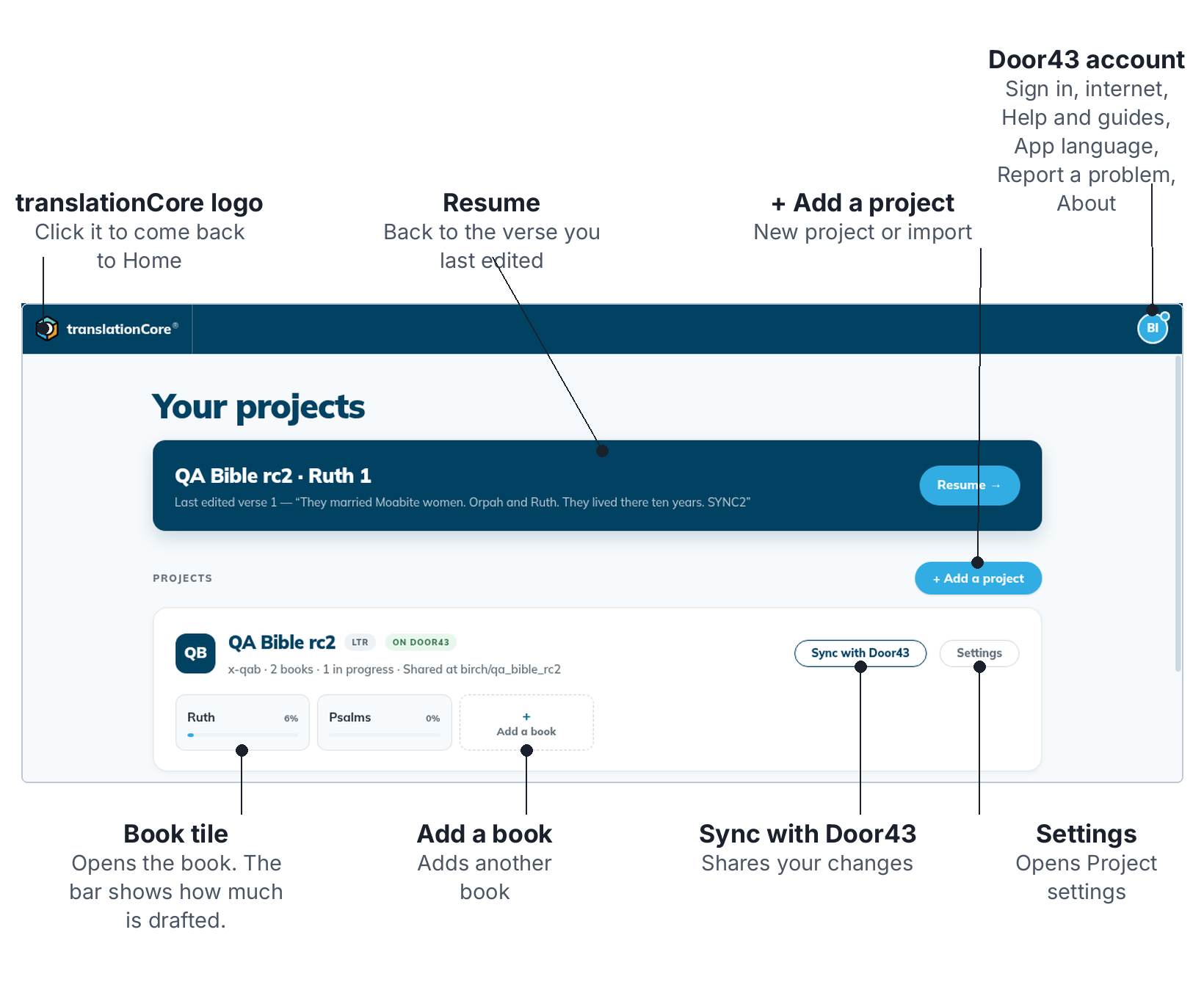
The parts of the screen are explained in The Home screen.
Install and start tC4Download translationCore 4 for your computer, install or unpack it, and start it. It opens on the Home screen.
The Home screenHome lists your projects. From here you open a book, go back to where you stopped, or add a project.
Understand, Translate and Check — the three modesEvery open project has three modes. Understand the passage, Translate it, then Check it — in any order.
Saving and checkpointstC4 saves as you work. The indicator at the top right shows whether your last change was saved, and offers Retry if it wasn't.
Resume where you left offThe banner at the top of Home takes you back to the last place you changed something, in the mode you were using.
Switch project or go back HomeClick the project name at the top left to leave the project and go back to Home, where you can open another project or book.