
Link your words to the source
Click a word in the word bank and then the card it belongs under, or drag it there.
Each source word has a card, and the words of your verse wait in the word bank above them.
Steps
- In Align, open a verse.
- Click a word in the word bank (1). The cards get a blue outline, and the word's tooltip says "Now click the card this word belongs under."
- Click the card it belongs under (2). Or drag the word onto the card.
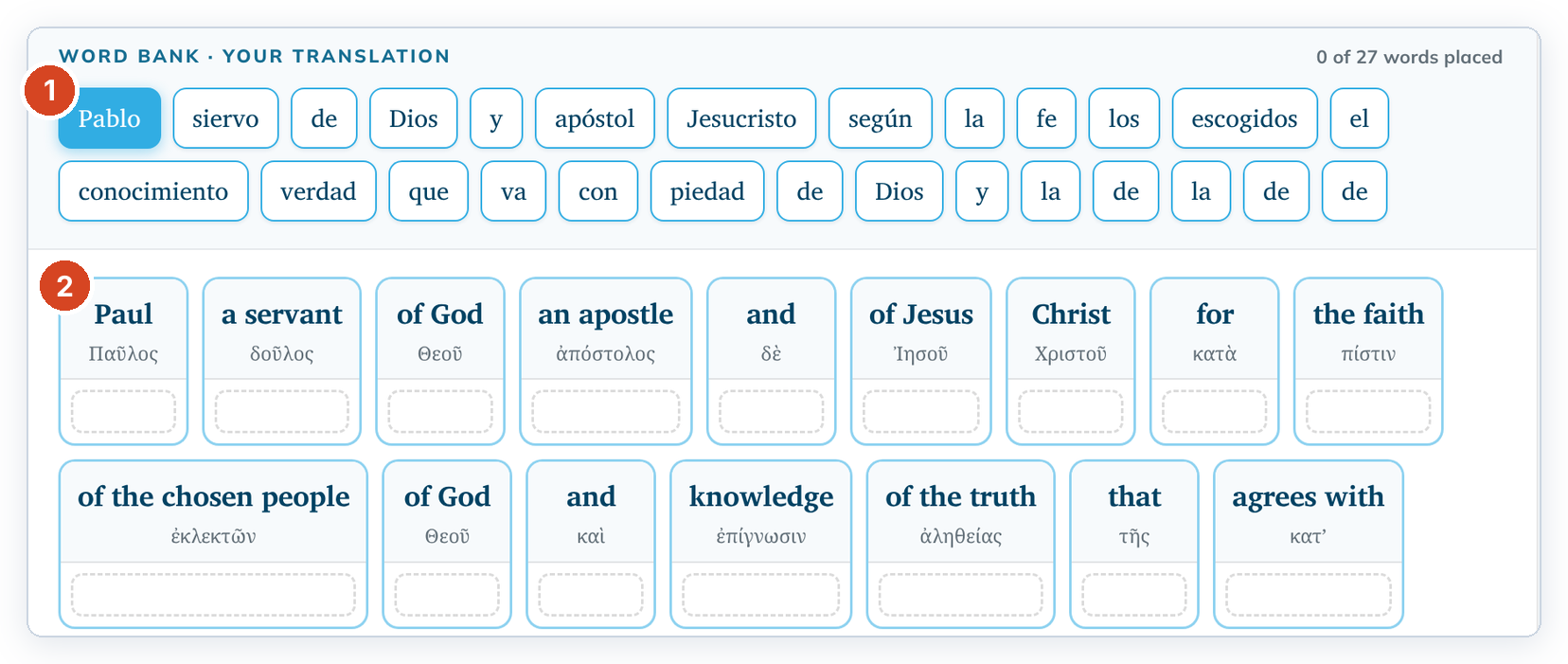
- Repeat until your words are placed. The count at the top right of the word bank goes up.
- Click ✓ Mark valid. See Mark an alignment done.
Place several words at once
- Hold Ctrl (Cmd on a Mac) and click each word you want. The words do not have to be next to each other. Shift-click adds every word between the first selected word and the one you click.
- Click the card, or drag the words onto it. All the selected words go onto that card in one move.
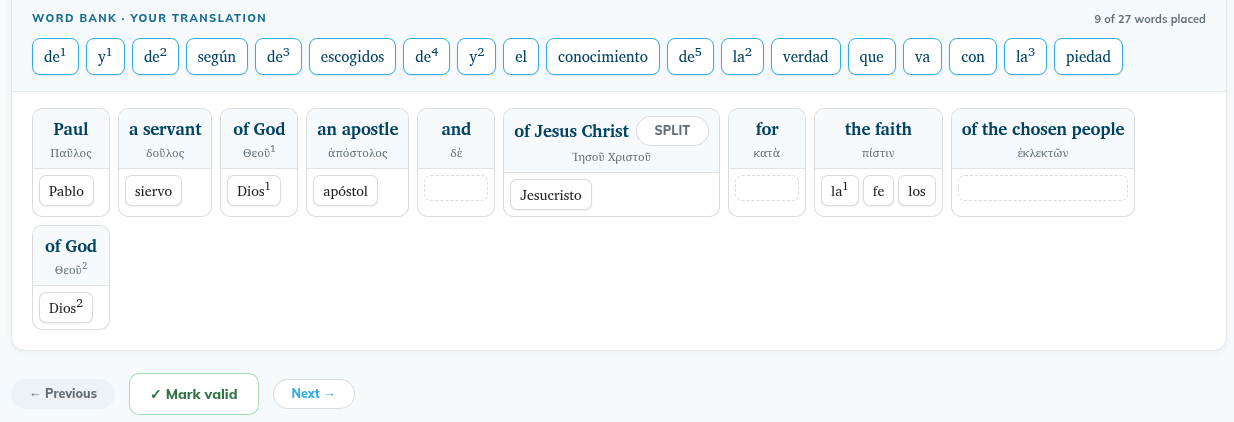
A card always shows its words in the order they come in your verse, wherever you drop them. In the picture, la¹, fe and los land as "la¹ fe los".
Repeated words are numbered
When a word comes more than once in the verse, each copy has a small number: de¹, de², de³ and so on. The number tells you which copy it is, counting from the start of the verse. The source cards use the same numbers, for example Θεοῦ¹ and Θεοῦ². A word that comes only once has no number.
Undo a link
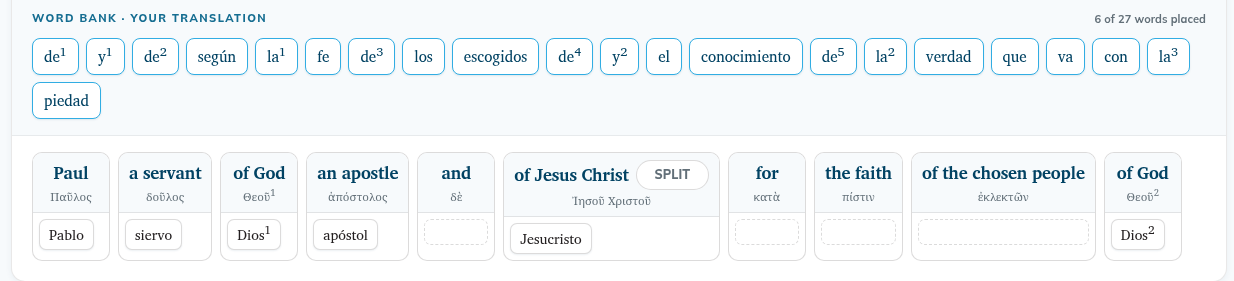
To undo a link, click the placed word. It goes back to the word bank. To unselect a word without placing it, click it again.
Good to know
- How alignment works at the top of the verse gives a short reminder.
- You can mark a verse done even if some words stay in the bank, for example words your language adds.
- If you change the verse in Translate later, the changed words go back to the word bank. See Editing a verse you already checked or aligned.
- A card click places only the words that show as selected in the word bank.
- The word bank always matches the verse as it is now. If you changed the verse in Translate, new words are in the bank when you open the verse, and removed words are gone.
- Every word of the verse is in the bank, including words inside added-text or name markup.