
Change the checking language
Choose which installed gateway language this project checks against.
Checks use the notes and word articles of one gateway language.
Steps
- If the language isn't listed yet, download it first. See Download source texts.
- On Home, click Settings on the project card.
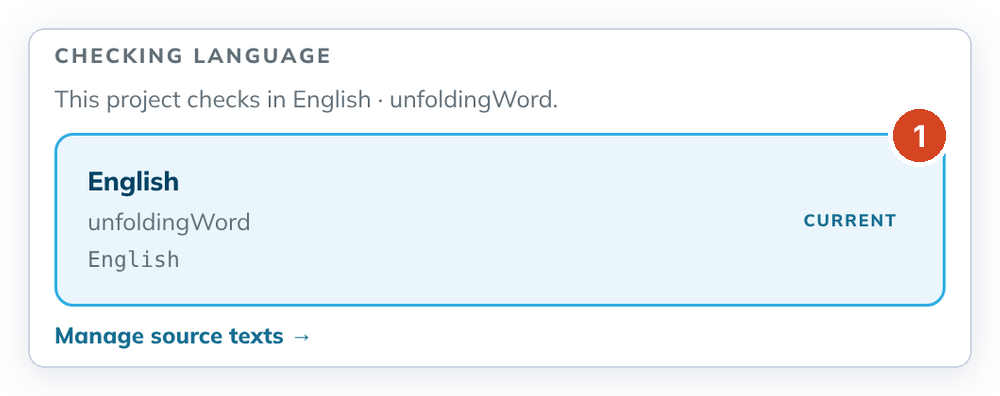
- Under Checking language, click the language you want. The current one is marked Current (1).
- Read the confirmation. It says how many decisions carry over and how many come back as work.
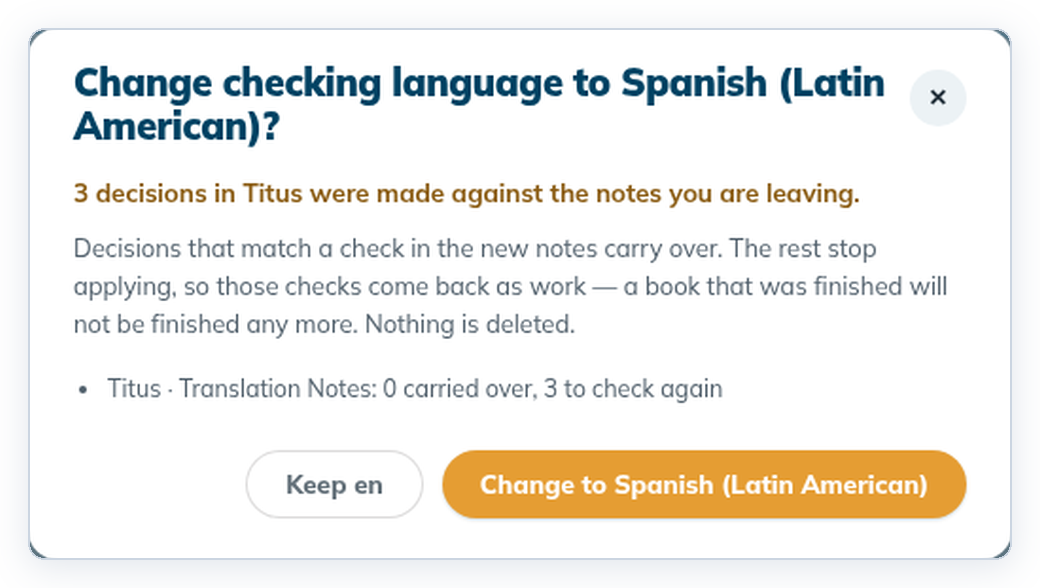
- Click "Change to …" to confirm. The new language is now marked Current.
To cancel, click "Keep …" in the confirmation.
Good to know
- Completeness includes Translation Words Links (
_twl) when that language publishes one. Download the package so Links is installed; the app does not fall back to English Links for those languages. - A few gateway organisations publish words but no Links repository. For those, checks use the English Links list with that language's word articles. Two Arabic rows can appear: pick the organisation named under the language.
- After you change language, Translation Words items are rebuilt from the new Links pin. Decisions carry over only when the same check still exists.
- A decision carries over only when the new notes have the same check on the same words. Notes in another language are often split differently, so few may carry over. That is expected.
- Nothing is deleted. Decisions that don't carry over stop counting, and those checks come back as To do. A finished book may not be finished any more.
- The language set must be complete: notes, words and academy.
- The same language can have two names, for example "Español (Latinoamérica)" in the list and "Spanish (Latin American)" in the confirmation.