
Align
Link each word of your translation to the original language.
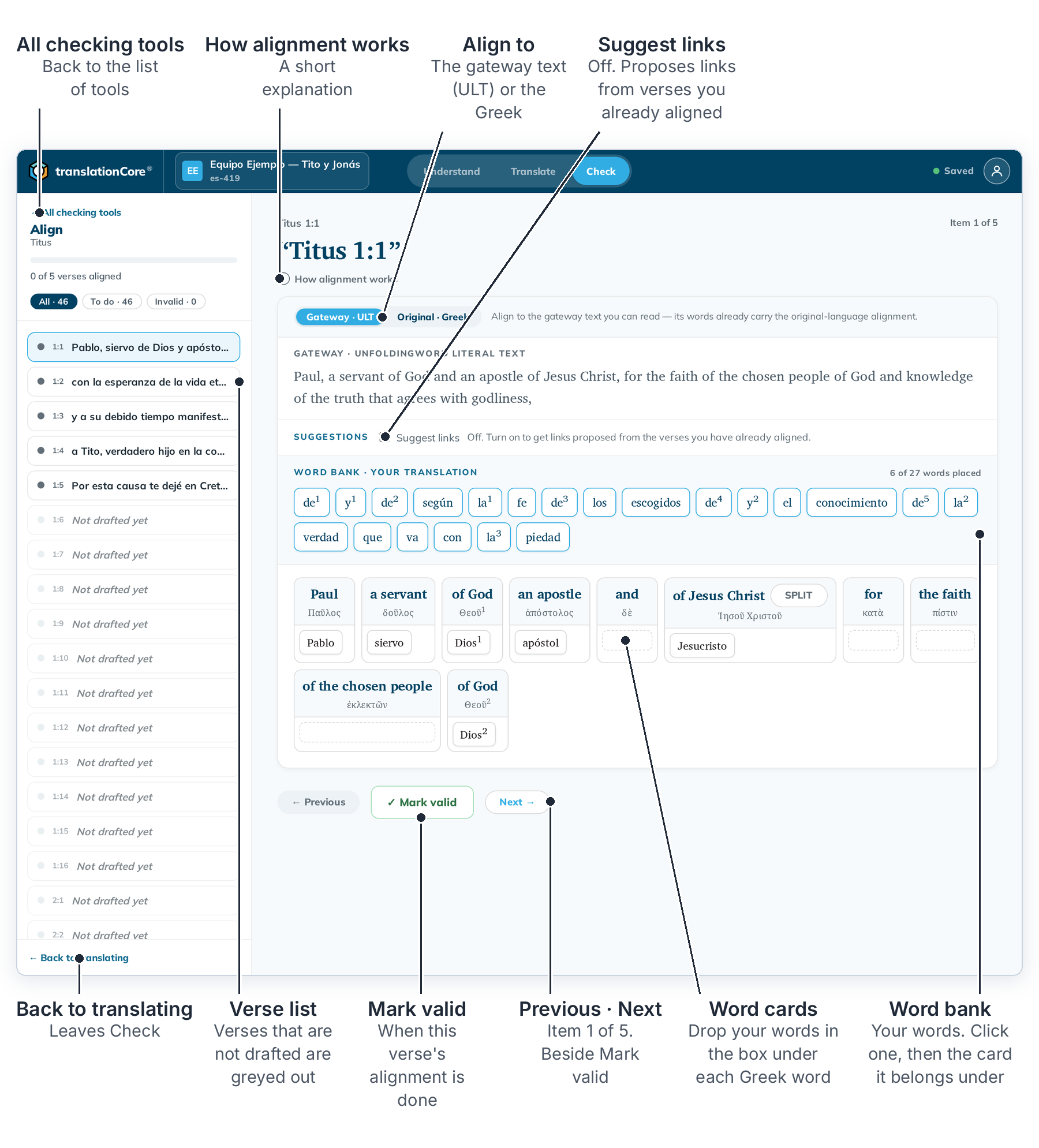
The parts of the screen are explained in Open the Align tool.
Open the Align toolAlign links each word of your translation to the original-language word it translates. Open it from Check.
Link your words to the sourceClick a word in the word bank and then the card it belongs under, or drag it there.
Align a phrase (merge and split cards)When several source words are translated together, merge their cards into one phrase card. SPLIT undoes it.
Align to the gateway text or the original languageAlign to the gateway words you can read (which already carry the link to the original), or directly to the Greek or Hebrew words.
Alignment suggestionstC4 can learn from the verses you have already aligned and suggest links for the next ones. You confirm or reject each one.
Mark an alignment doneWhen a verse is aligned, mark it valid. It counts toward the verses-aligned progress.