
Check with Translation Words
Go through every key term in the book, such as God, grace or apostle, and check how you translated each one.
Use it to make sure each term is translated the right way, and the same way everywhere it appears.
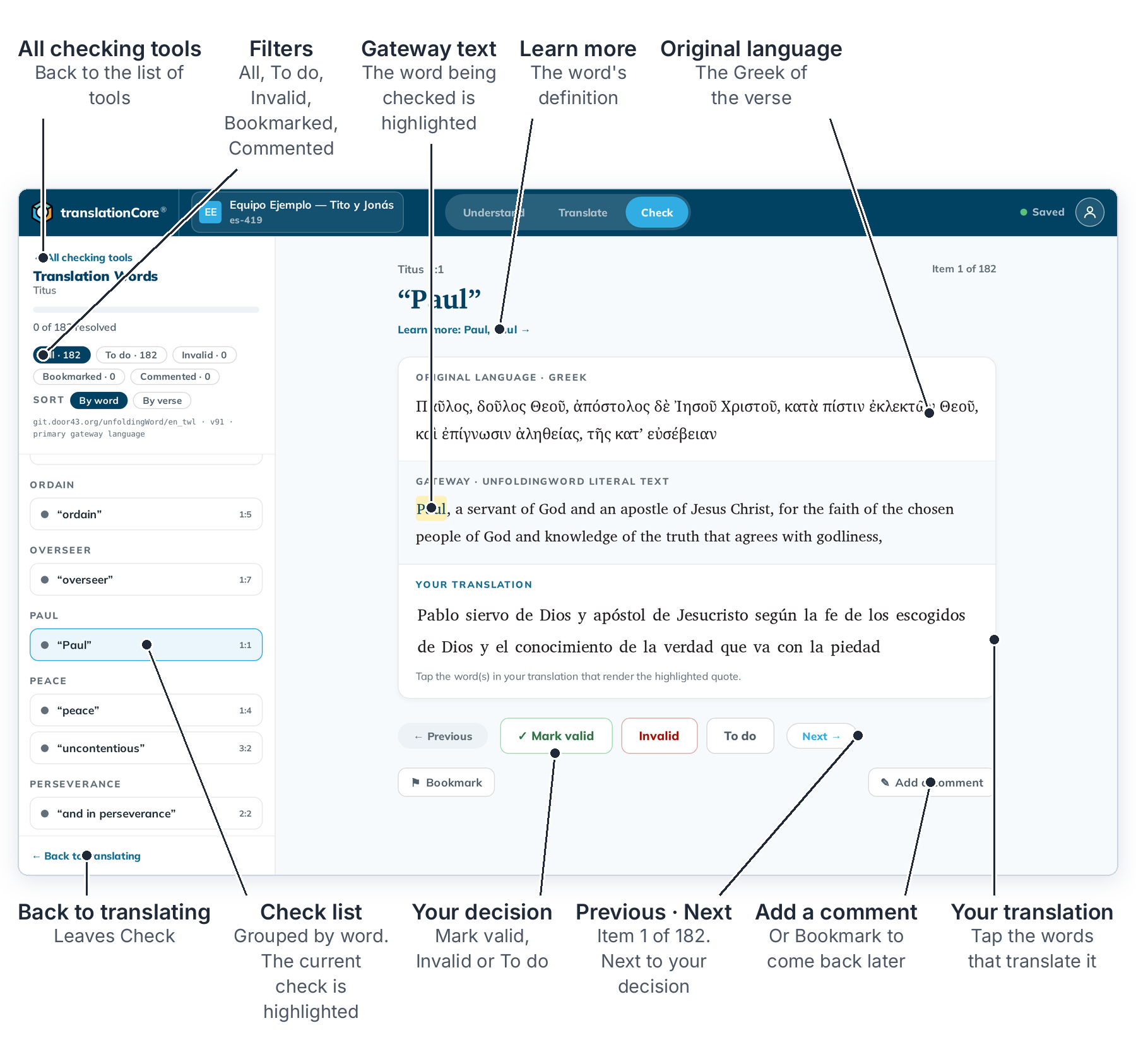
Check a term
- Click Check, then Start checking → on the Translation Words card.
- Read the term at the top. Click Learn more to read what it means. The article opens in a panel on the right. Close it with ✕.
- Under Your translation, tap the word or words that translate the highlighted term.
- Choose ✓ Mark valid, Invalid or To do. See Decide on a check item.
- Click → at the top right to go to the next item. Marking an item does not move you on.
To stop, click ← Back to translating at the bottom left. Next time, Check opens Translation Words where you left it.
Find your way
- Sort By word puts every place a term is used together, so you can see whether you translated "grace" the same way each time. By verse goes through the book in order.
- The filters show All, To do, Invalid, Bookmarked or Commented items. See Filter and sort check items.
- ⚑ Bookmark marks an item to come back to. ✎ Add a comment leaves a note for your team. See Bookmark a check and Write a check comment.
Note: A verse that is not drafted yet cannot be checked. Draft it in Translate first.
Good to know
- The check list comes from a Translation Words Links release (for English,
en_twlthat ships with the app). The articles come from Translation Words (en_tw). - Some books have no Translation Words check yet (for example Ezekiel), until a Links release includes them.
- If a link points to an article your checking language does not have, that item is hidden and does not count in progress.