
Source tabs — gateway texts and the original language
Switch the source column between the literal text, the simplified text and the Greek or Hebrew original.
Your translation stays the same when you switch; only the source column changes.
Steps
- In Translate, look at the tabs above the source column.
- Click ULT (the literal text), UST (the simplified text) or Greek. An Old Testament book has Hebrew instead of Greek.
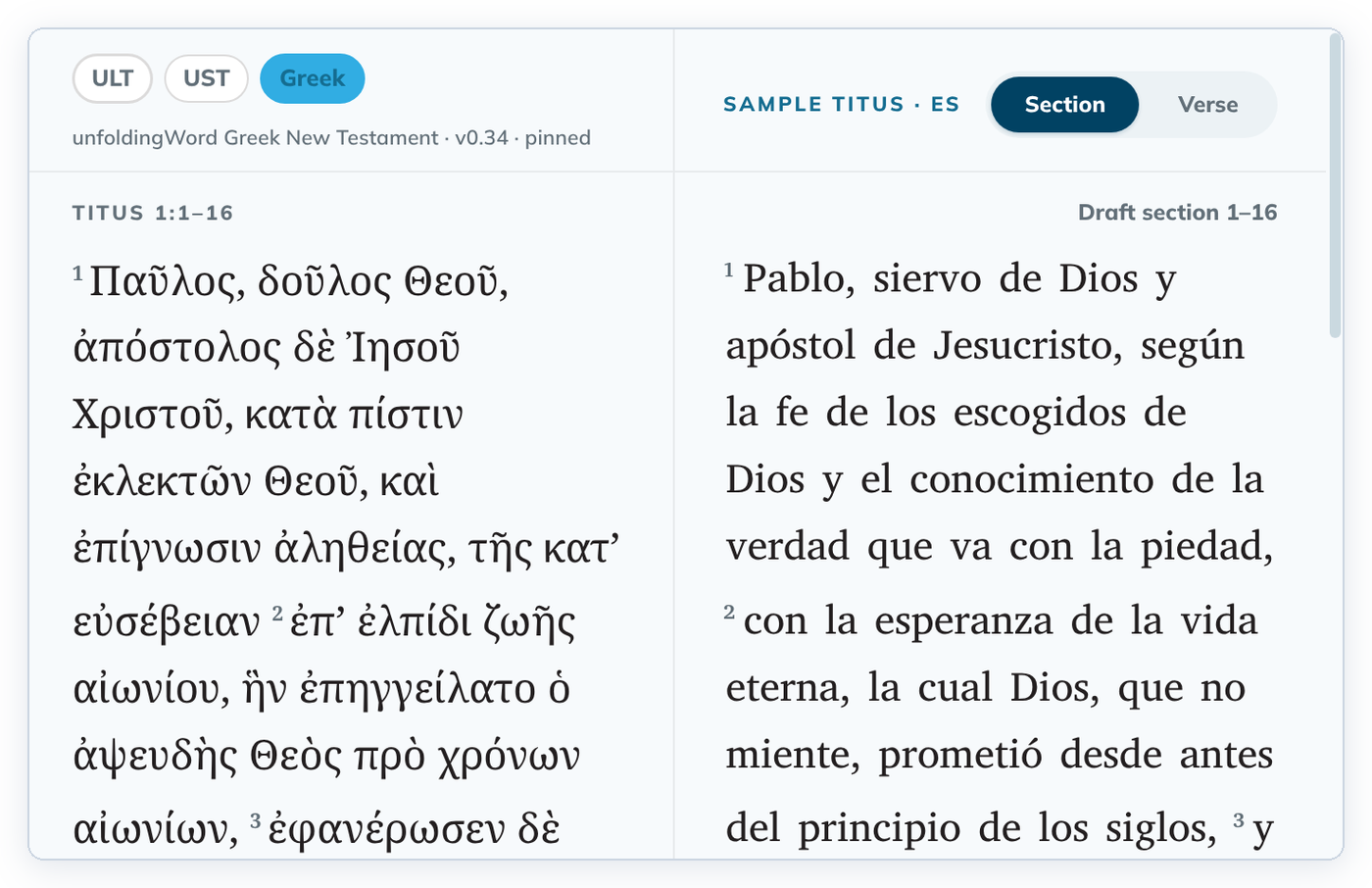
The caption under the tabs names the text and its version.
Good to know
- The sections follow the selected source. In Titus 1, ULT and UST start with 1–3, while Greek shows the whole chapter as 1–16.
- Words in curly braces, such as {and}, are part of the source text. They mark words added to make the meaning clear.
- Some gateway languages name the first two tabs differently, for example GLT and GST.
- The same tabs are in Understand.
- If a text is missing, the column says "This source is not available for this book." See Browse and download source texts.