
Write a user comment
Write down what a passage means, who is speaking, and what will be hard to translate. Your comments are saved with the project and shown in Translate.
A comment is your own note about a section or verse, and it stays with the project.
Steps
- In Understand, choose Section or Verse next to Comment by (1).
- Click in the box under the section or verse (2) and type your comment.
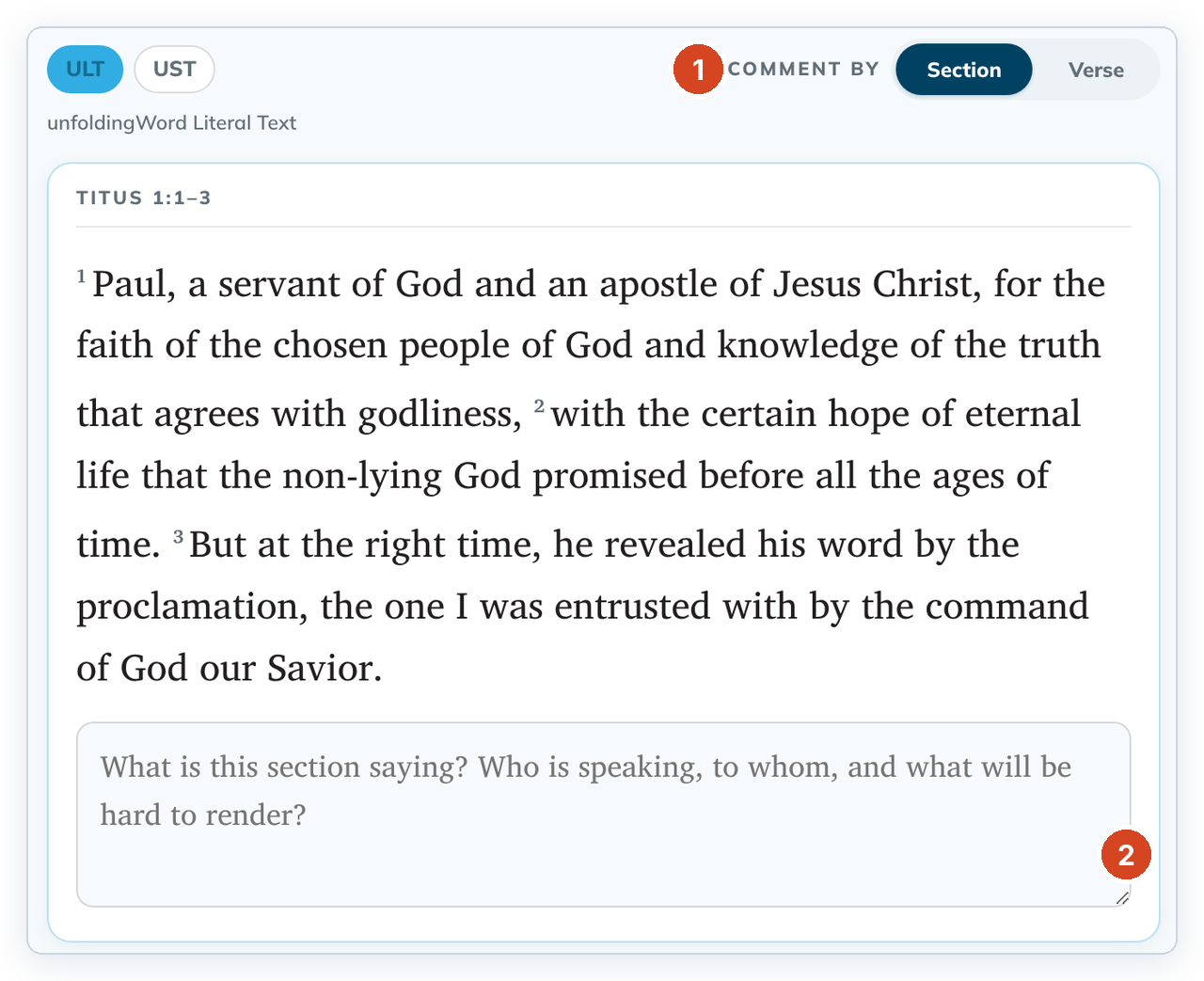
- Click outside the box. The comment is saved; watch the indicator at the top right.
- Later, in Translate, click Comments in the helps panel to read it.
Good to know
- To change a comment, edit the text and click outside again.
- A saved comment can't be emptied: "A saved user comment cannot be emptied — user comments are permanent in this version." Change the text instead.
- In Section view, if you wrote comments on single verses inside the section, tC4 suggests switching to Verse to see each one.
- These comments are separate from check comments. See Write a check comment.