
Update scripture texts
Move the project to a newer release of the Greek or Hebrew text, or of the gateway Bible.
Steps
- On Home, click Settings on the project card, then Manage source texts →. The project opens with Get source texts on top.
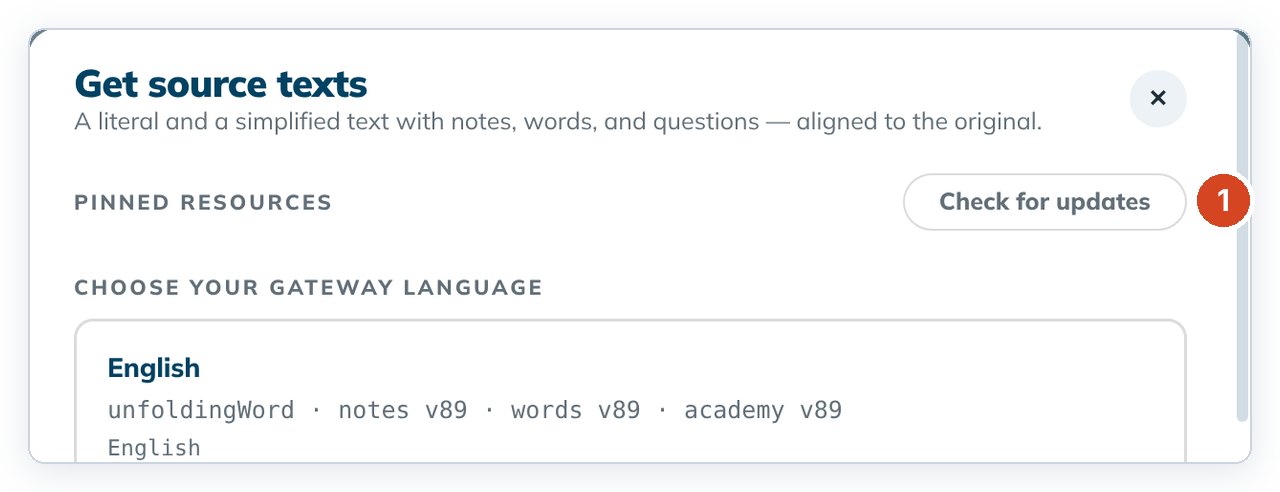
- Click Check for updates (1). If "Turn on the internet?" appears, click Turn on internet. See Working offline.
- Look under Scripture texts. Each text with a newer release has its own row.
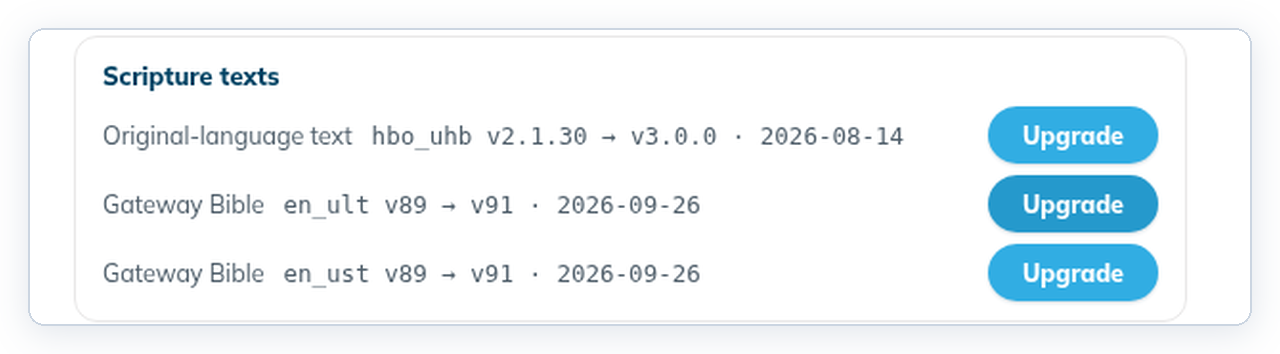
- Click Upgrade on a row, read the confirmation, and confirm.
If everything is current, it says ✓ Every scripture text is up to date.
Good to know
- Gateway Bible: nothing in your work changes. The source pane shows the new text.
- Greek or Hebrew text: alignments are kept, but the affected verses lose their valid mark so you can check them again. See Mark an alignment done.
- Only the texts your books need are offered. A New Testament project is never offered the Hebrew text.
- Save any open alignment edit first.