
Draft a section
Type a whole section as one piece of text, then place the verse numbers. This is the main way to draft in tC4.
You type the section straight through, the way you would say it, and add the verse numbers afterwards.
Steps
- In Translate, make sure the switch above your translation says Section.
- On the row you want, click the Draft section {span} button at its top right (1). It is a small rounded button, always visible.

- The editor opens in Type mode. Type your translation of the whole section.
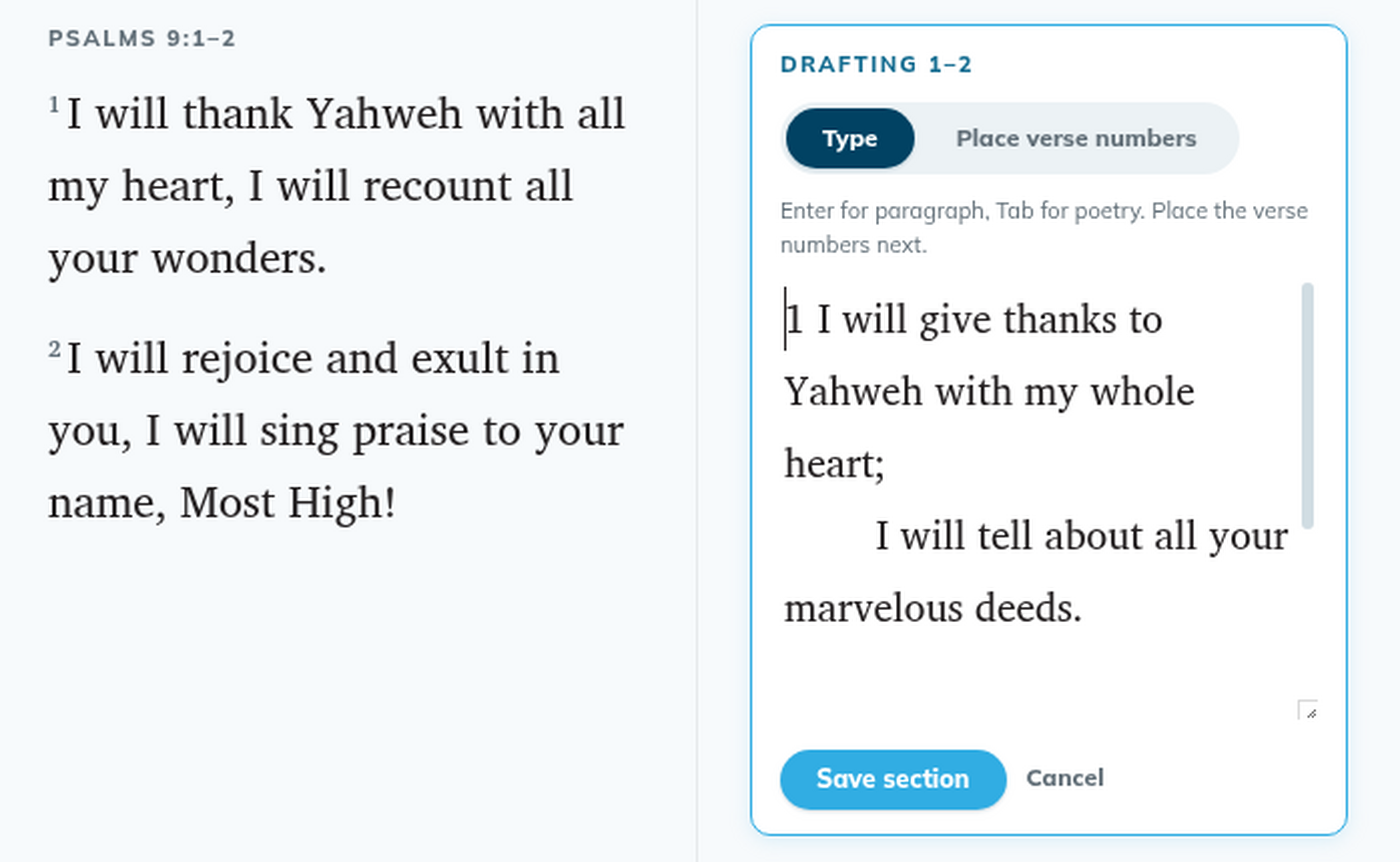
- Click Place verse numbers and put each number where its verse begins. See Place verse numbers.
- Click Save section.
To close the editor without saving, click Cancel.
Good to know
- To change a saved section, click its Draft section {span} label again. Clicking the saved text does not open the editor.
- You can type the verse numbers yourself: start a line with the number, for example
5 no nos salvó…. - The first verse number of a section is always at the start.
- Wait a moment after the editor opens before you type, and check the start of your text before you save.
- While an editor is open, the Section / Verse switch can't be used.
- A verse number you leave in the To place box is saved as an empty verse.