
Install and start tC4
Download translationCore 4 for your computer, install or unpack it, and start it. It opens on the Home screen.
The download already has the source texts, the translation helps and the story pictures, so you can start without the internet.
Steps
- Get the file for your computer from the tC4 releases page: the
.exefor Windows, the.pkgfor macOS (Apple silicon), or the.zipfor Linux. - Install it:
- Windows: run the
.exe. If Windows warns about an unknown app, choose More info, then Run anyway. Start tC4 from the Start menu. - macOS: open the
.pkg. If macOS blocks it, open System Settings › Privacy & Security and choose Open Anyway. Then start translationCore 4 from Applications. - Linux: unpack the zip, open a terminal in the
translationCore4folder and run./start-tc4.sh.
- Windows: run the
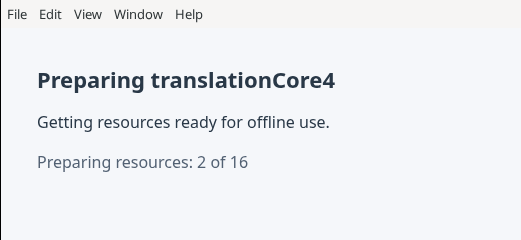
- The first time, a small window says "Preparing translationCore4" and counts the resources, for example "Preparing resources: 2 of 16". Wait until it finishes. This can take a minute on a slow computer. Later starts are fast; the window shows only for a moment.
- tC4 opens on Home with the heading Your projects.
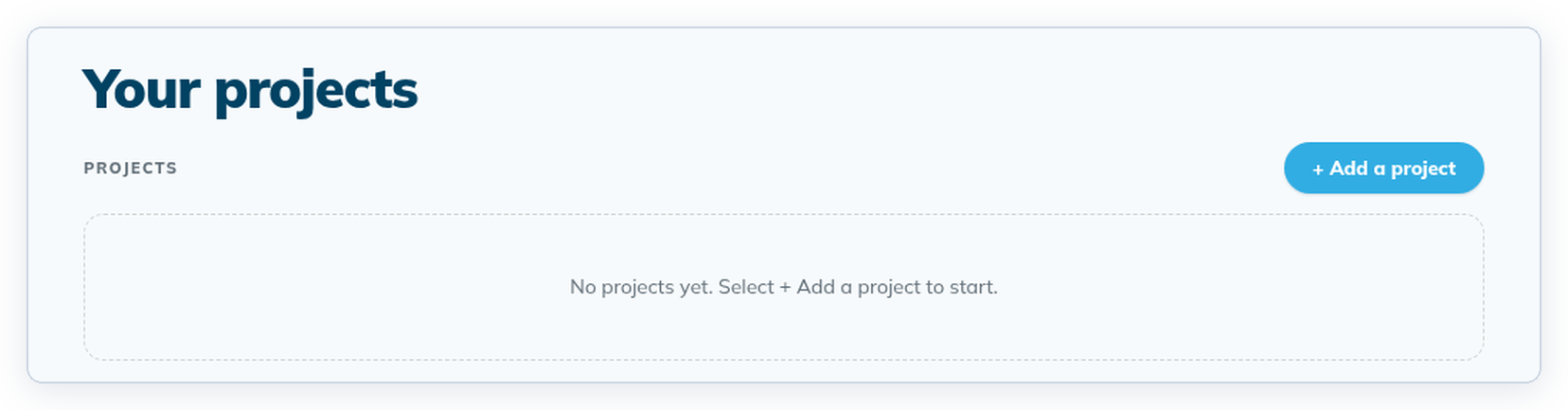
- Click + Add a project to start your first project. See The Home screen.
The warnings in step 2 appear because the installers are not signed yet. They only appear the first time.
Good to know
- The window's menu bar has Edit, View and Window. Window › Reload reloads the screen.
If it doesn't start
- Windows says "The backend could not be started": install the Microsoft Visual C++ Redistributable (x64), then start tC4 again.
- Nothing new opens: only one copy of tC4 runs at a time. Starting it again brings back the window that is already open.
- "translationCore4 could not start … Bundled archive checksum mismatch": the download is damaged. Click OK, download it again and start the new copy.
- You closed tC4 while it was preparing: start it again. It continues and cleans up.
- Linux prints a line about "--no-sandbox": that is normal for the zip.
tC4 is still a pre-release. Keep a copy of important work elsewhere.