
Where your projects are stored
tC4 keeps all your projects in one folder in your home folder. Back it up regularly.
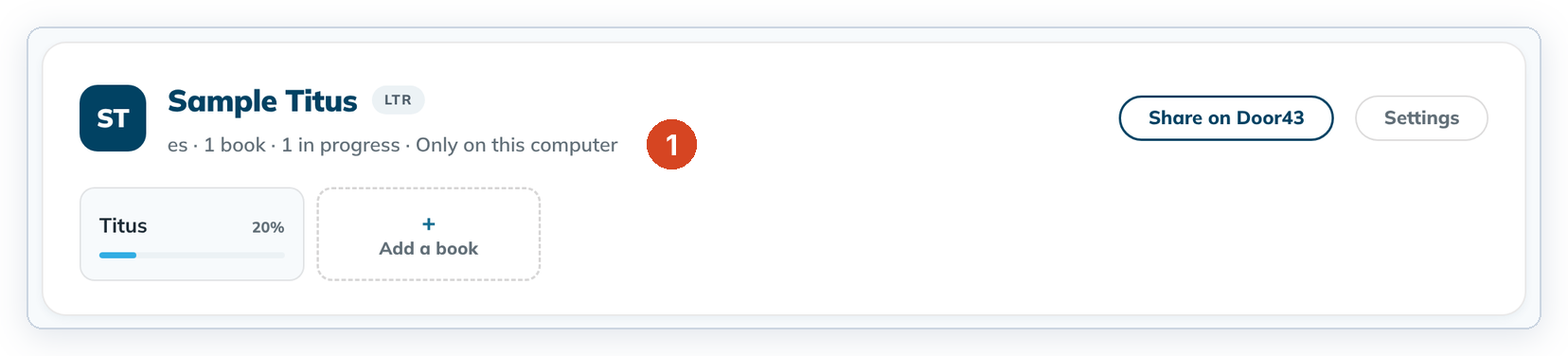
"Only on this computer" (1) on a project card means the project is stored only in this folder.
| System | Folder |
|---|---|
| Windows | C:\Users\<you>\pankosmia\tc4-projects |
| macOS | ~/pankosmia/tc4-projects |
| Linux | ~/pankosmia/tc4-projects |
Back up your projects
- Close tC4.
- Copy the whole
tc4-projectsfolder to a USB drive or another backup place.
Good to know
- Uninstalling tC4 keeps your projects.
- To move one project to another computer, export a Scripture Burrito and import it there. That's safer than copying folders.
- Don't change files in the folder while tC4 is open. tC4 notices and stops to protect the project. See Messages that protect your project.