
Translate a story
Draft the story title, each frame and the reference line, with the picture and the English story beside you.
Stories are drafted part by part: the title, each frame, then the reference.
Steps
- Open a story and click Translate.
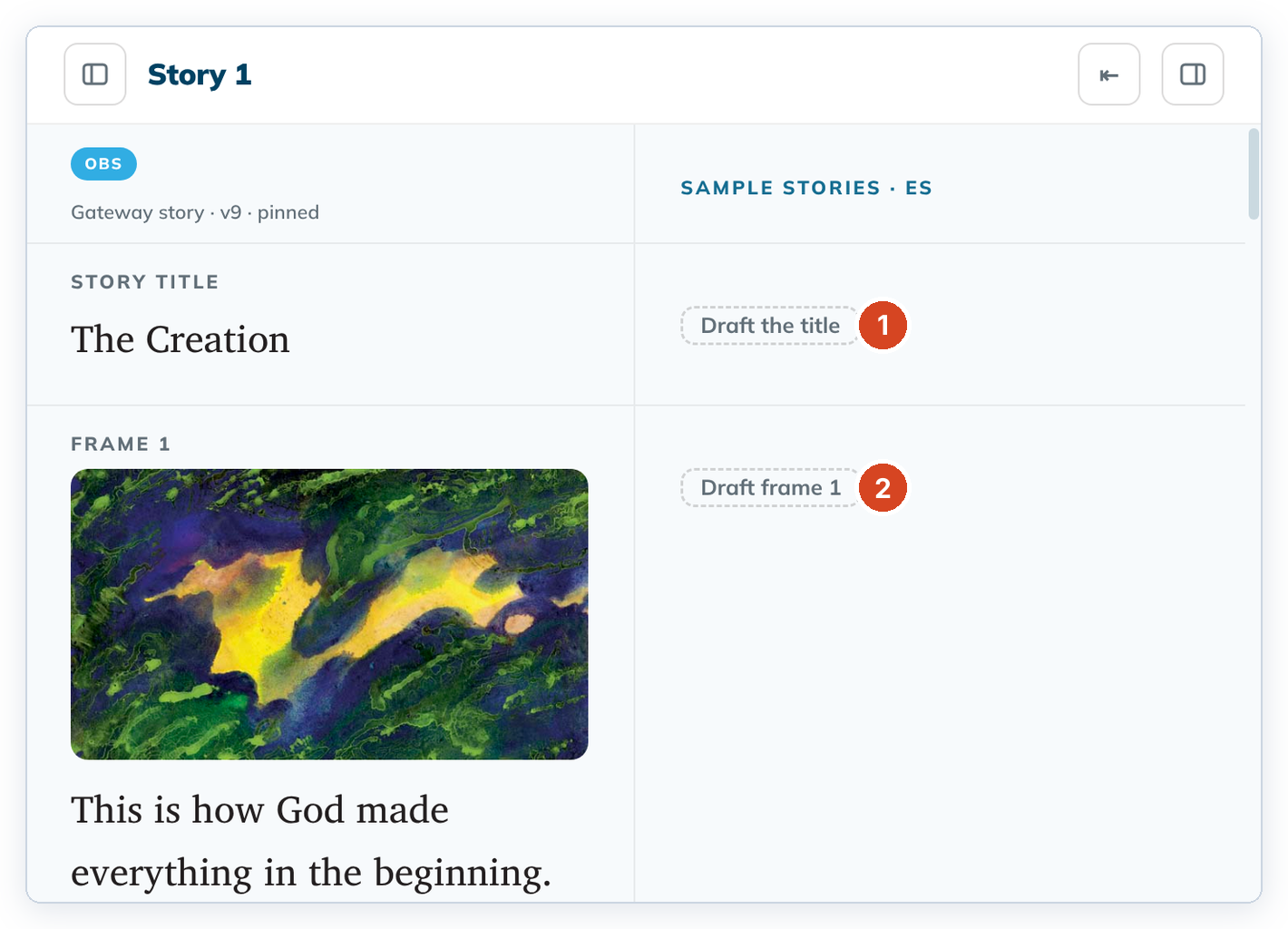
- Click Draft the title (1) and type the title.
- Click Save.
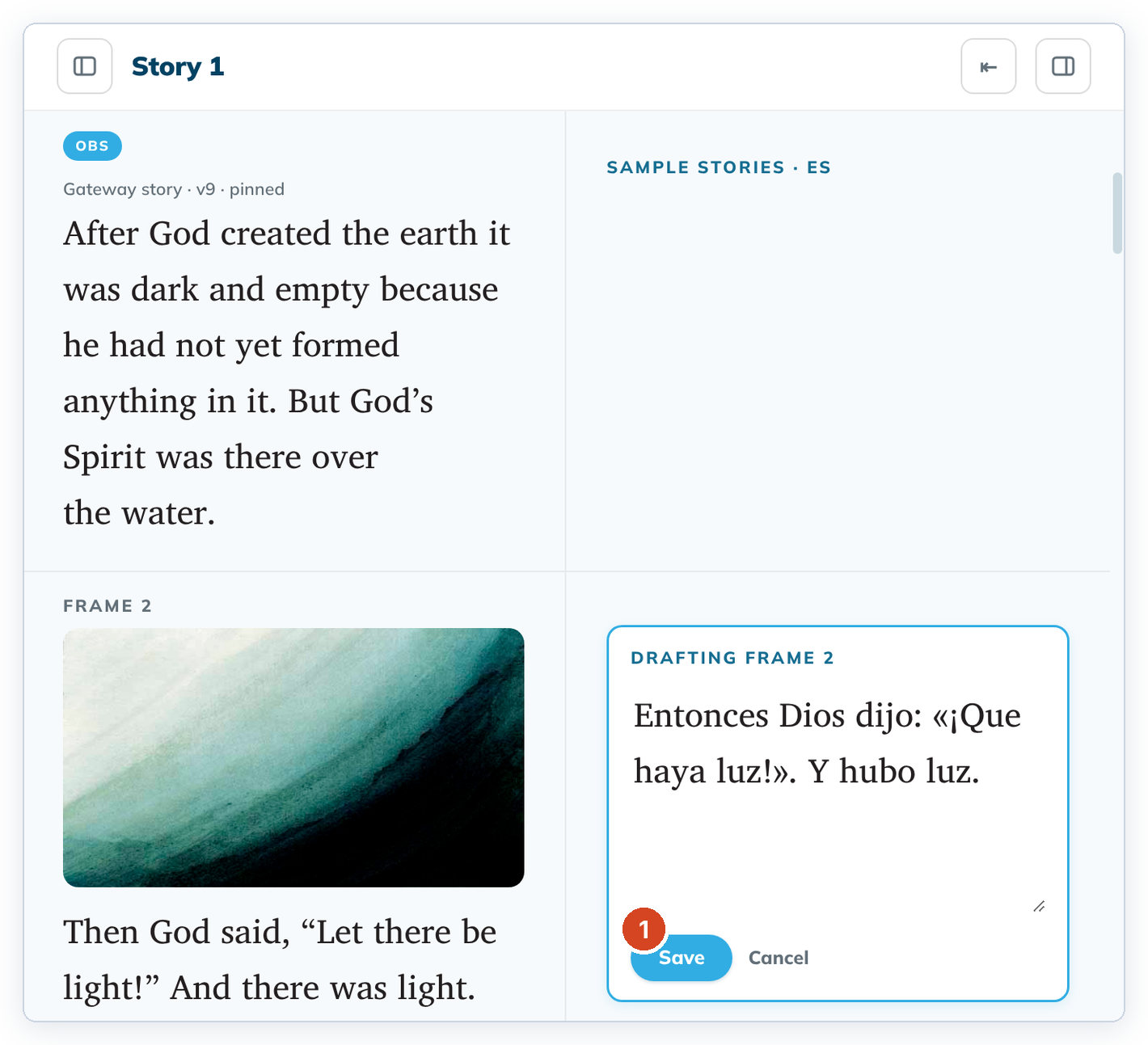
- For each frame, click "Draft frame N" (2), look at the picture and the English text, and type your translation. Click Save (1).
- At the end, click Draft the reference and translate the line "A Bible story from: …".
To change a saved part, click its text. To cancel, click Cancel.
Good to know
- The story's percent drafted on the left goes up as you save parts.
- Notes, words and questions for the frame are in the helps panel on the right.
- Stories have no verse numbers or spans.