
Community Checking preview
Read the whole book as a printed page, set up the page, and export a copy for reviewers.
Use it to read the book as a whole, or to read it aloud with your community.
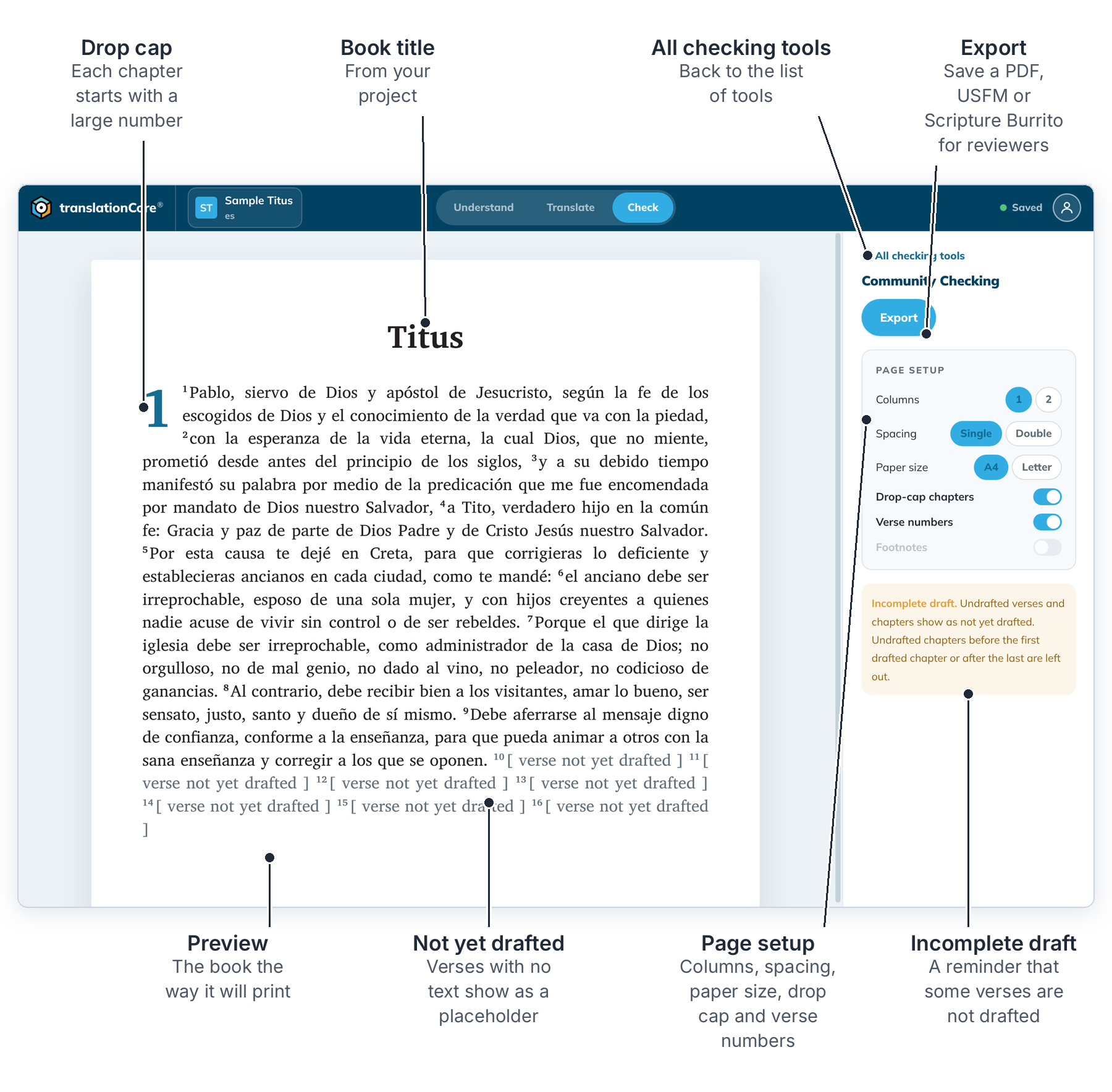
Preview and export
- Click Check, then Open → on the Community Checking card.
- Scroll the preview. Verses that are not drafted yet show as "[ verse not yet drafted ]".
- In Page setup, choose Columns (1 or 2), Spacing (Single or Double) and Paper size (A4 or Letter). Turn Drop-cap chapters and Verse numbers on or off.
- Click Export to save a copy. See Export a book as PDF, Export a book as USFM and Export a project as a Scripture Burrito.
To go back, click ← All checking tools.
Good to know
- Double spacing leaves room for reviewers to write between the lines.
- The page setup changes only the preview and the export, not your translation.
- translationCore does not keep the page setup when you leave this screen. Set it again before you export.
- Footnotes is greyed out and cannot be turned on yet.