
Check
Check your draft with Translation Notes and Translation Words, and preview it.
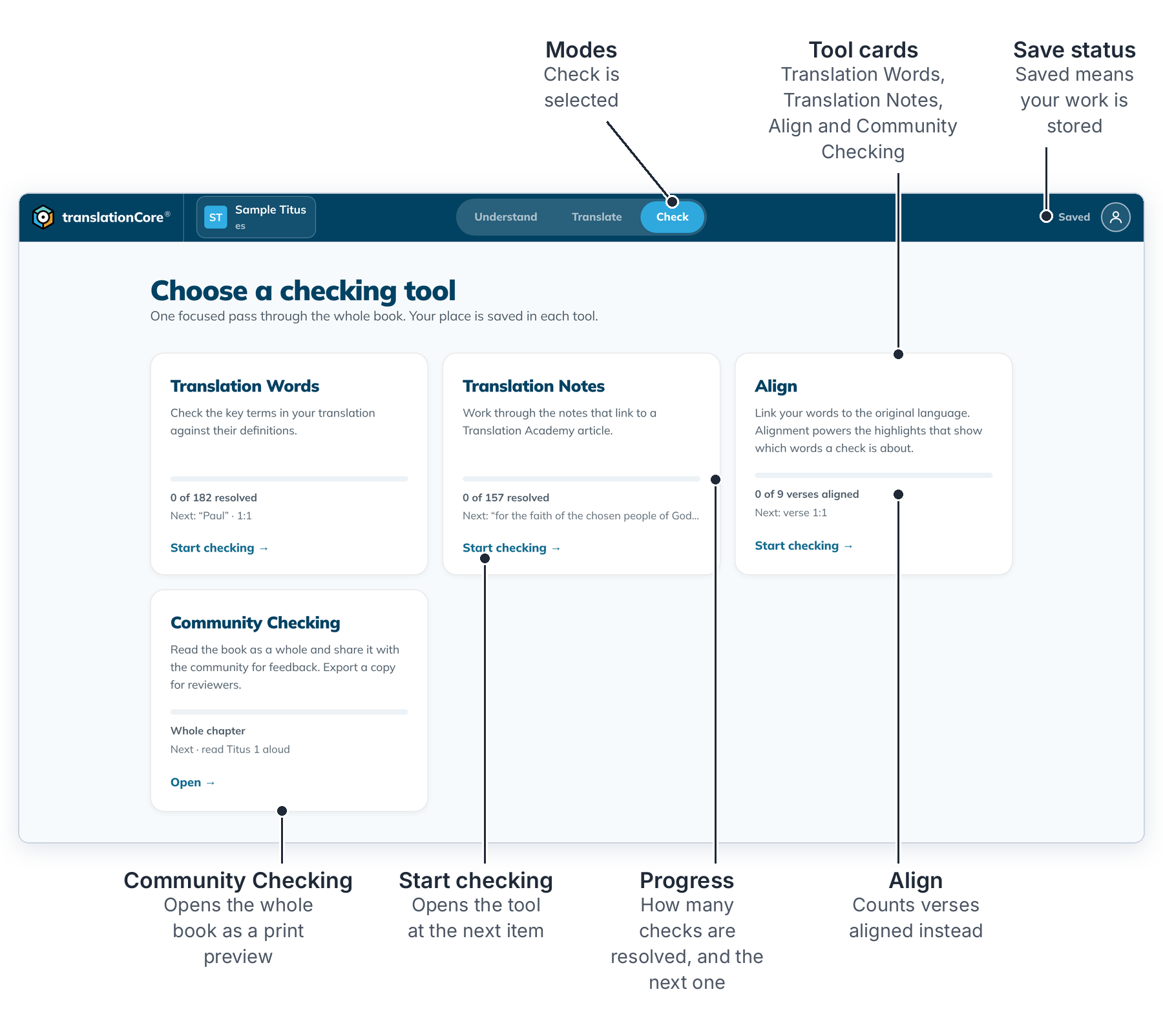
The parts of the screen are explained in Choose a checking tool.
Choose a checking toolCheck lists the checking tools for the open book and how far you have got in each one.
Check with Translation NotesGo through the hard places in the book, such as figures of speech or abstract nouns, and check how you translated each one.
Check with Translation WordsGo through every key term in the book, such as God, grace or apostle, and check how you translated each one.
Decide on a check item (valid, invalid, to do)For each check, select the words in your translation, then mark the item valid or invalid, or leave it to do.
Bookmark a checkFlag a check item to come back to it later, for example to discuss with your team.
Write a check commentAdd a note to a check item about what you decided or what to ask your team.
Filter and sort check itemsNarrow the list to what still needs work, and change the order of items.
Community Checking previewRead the whole book as a printed page, set up the page, and export a copy for reviewers.