
Make or break a verse span
Join two or more verses into one span, such as 2-3, when your language needs to reorder their content. Break the span again the same way. Bible projects only.
A verse span (also called a verse bridge) is two or more verses translated as one unit, for example 2-3.
Steps
- Open the section with its Draft section {span} label, type the text, and click Place verse numbers.
- Pick up the later number, for example 3.
- Click the word where the earlier verse (2) begins. The tooltip says "Join verse 3 to verse 2 at …".
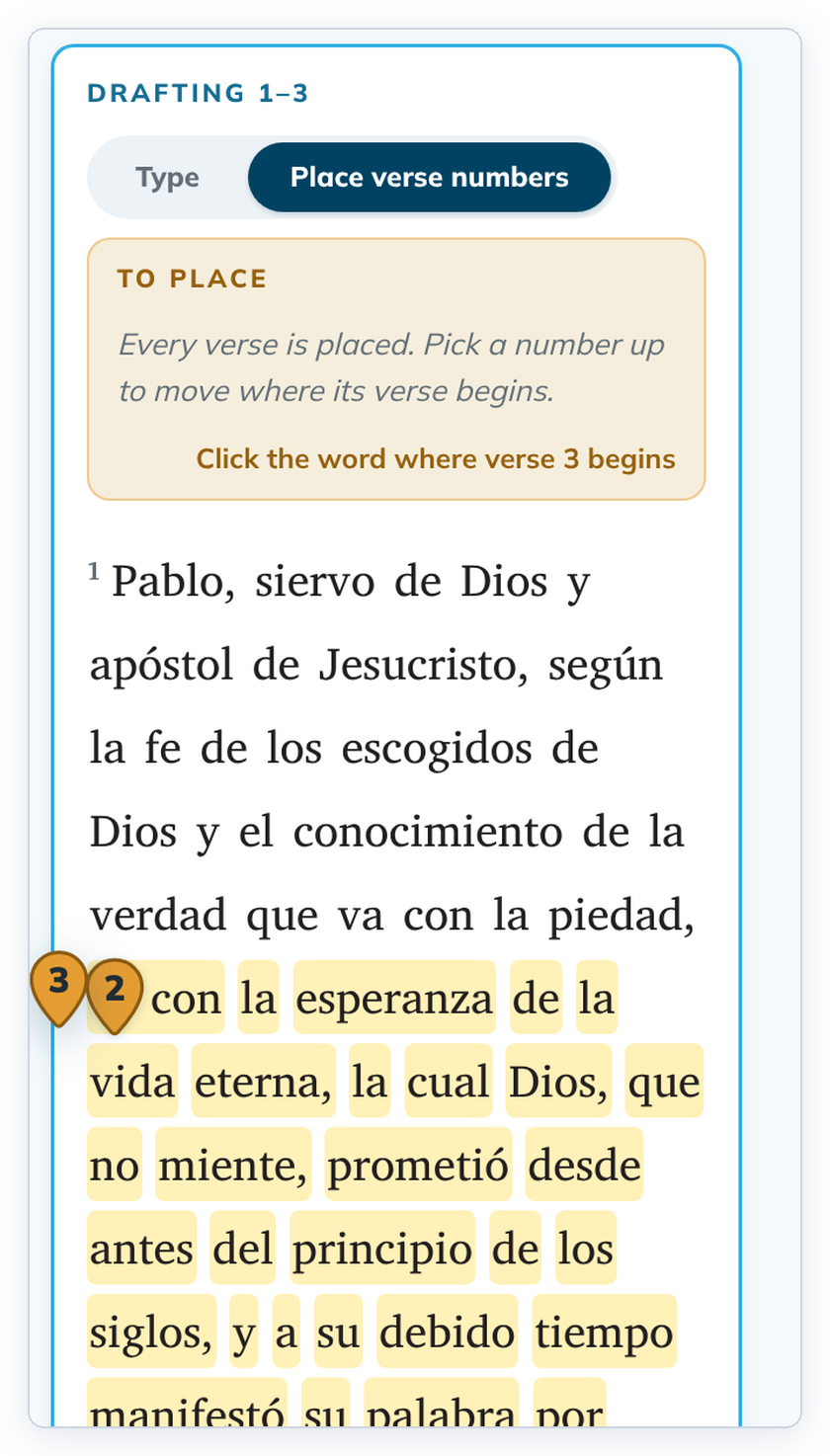
- Click Save section. The verses are saved as one span, numbered 2-3.
Break a span
Open the section again, click Place verse numbers, pick up the 3 and click the word where verse 3 should begin. Then click Save section.
Good to know
- In Type mode you can also start a line with the span, for example
2-3 …. - Making or breaking a span marks the checks and alignments of those verses for review. Nothing is deleted. See Editing a verse you already checked or aligned.
- Spans can't be made in Verse view.
- Open Bible Stories have frames, not verse numbers, so they have no spans.