
Understand a story
Read each frame with its picture and the story helps before you translate.
It works like reading a passage in a Bible project, frame by frame.
Steps
- Open a story and click Understand.
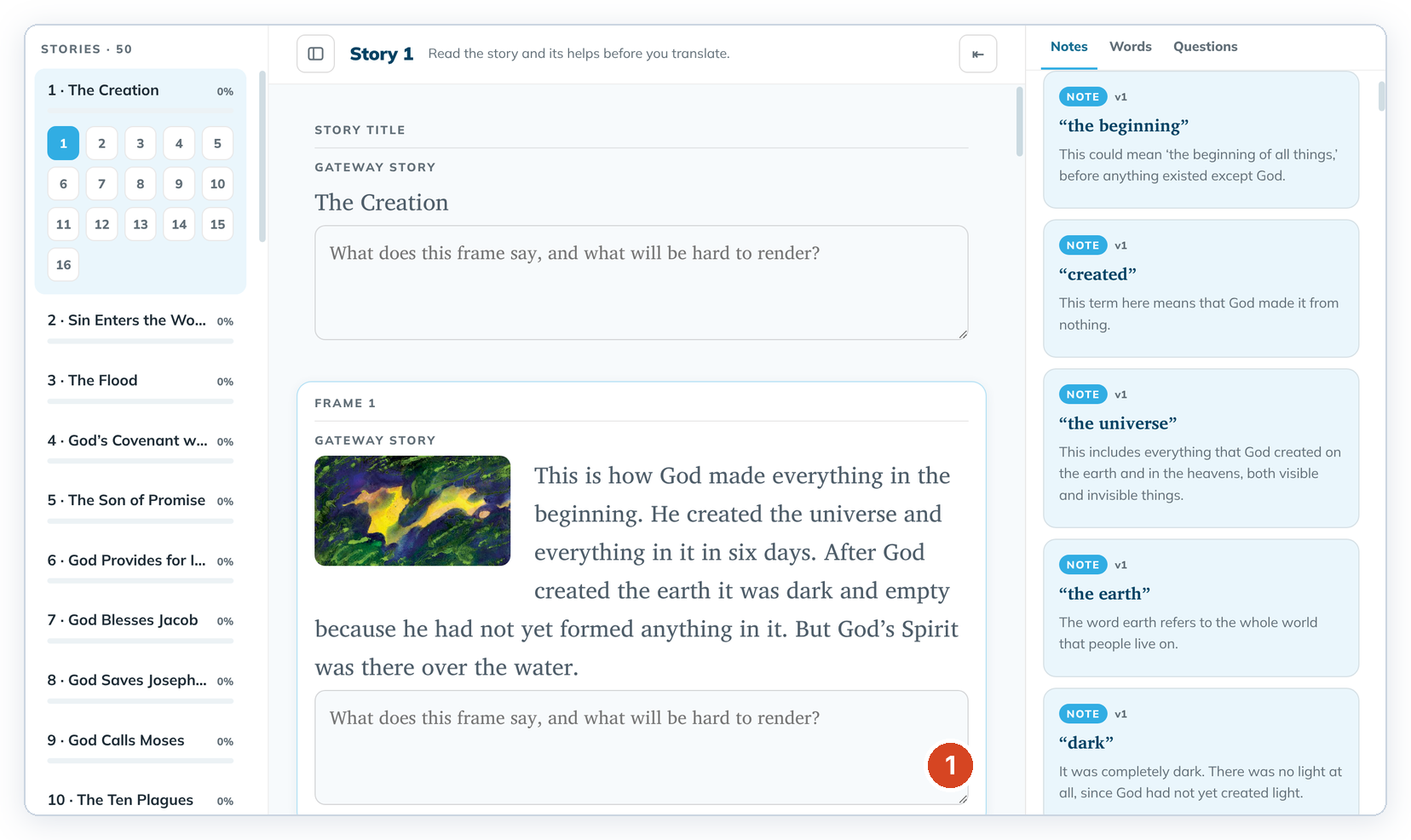
- Read the title and each frame with its picture. Click a frame number on the left to jump to it.
- Read the Notes, Words and Questions on the right.
- To leave a comment for your team, click the frame's comment box (1), type, then click outside it to save.
Good to know
- Click a frame first so the helps panel shows that frame's helps.
- Story notes are labelled like verses: frame 1's notes say v1, and the title's say v0.
- A saved comment can't be emptied later.
- If a comment fails to save, edit the box and click outside it again.