
Export a book as USFM (aligned or plain)
Save the open book as a USFM file, with your word alignments or as plain text.
USFM is the standard text format for Bible translations.
Steps
- Open the book and click Check. If a checking tool opens instead of the list, click ← All checking tools.
- On the Community Checking card, click Open →.
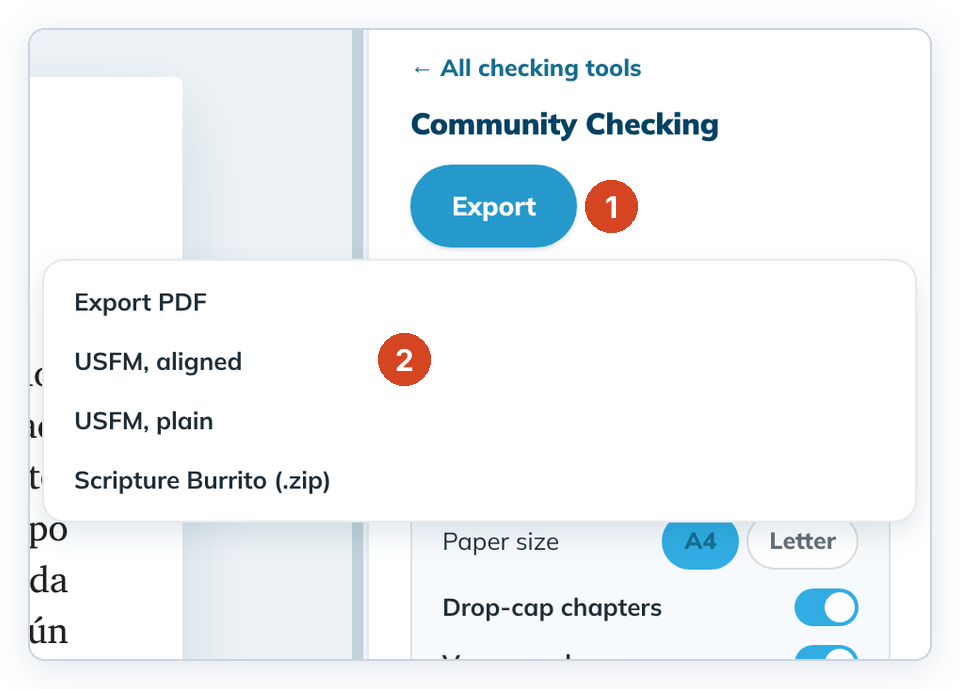
- Click Export (1), then USFM, aligned (2) or USFM, plain.
- Keep the suggested file name or type another, then save. The panel shows "Saved <file name>".
To cancel, close the save window. No file is made.
Which one?
- USFM, aligned includes your links to the original language, for tools that read alignments. Align the verses first. See Link your words to the source.
- USFM, plain is just your text.
Good to know
- Your project doesn't change.
- A joined verse span is written as one verse, for example
\v 2-3. - Undrafted verses are written as
___. - The header lines (
\h,\toc1–\toc3,\mt) contain the book code, such asTIT, not the book name. Edit them if another program needs the name. - On Linux the save window is the system file window and opens in your Downloads folder. If you can't see its Save and Cancel buttons, press Enter to save or Esc to cancel.
- USFM, aligned writes the alignment of each verse whose alignment is up to date. A verse that needs review is written without its alignment, and the panel says Your alignment of these verses is not in the file and lists them. Review those verses in Align and export again. The next export clears the message.
- Verses you imported with alignments are written exactly as they were imported.
- USFM, plain and PDF never include alignments, so they never show this message.
- Saving over a file that already exists replaces it without asking. Choose a new file name if you want to keep the old file.